
Alternativa de Renderización Impulsada por IA a 3ds Max: ArchiVinci
Aunque Autodesk 3ds Max es ampliamente utilizado para modelado 3D y renderizado profesional, ArchiVinci proporciona una alternativa más rápida e impulsada por IA, diseñada para visualización rápida y exploración de diseño en etapas tempranas.
Con la confianza de más de 800 K+ arquitectos y diseñadores en todo el mundo
Utilizado por estudios de arquitectura, diseñadores de interiores, equipos inmobiliarios y entusiastas del diseño en todo el mundo.
ArchiVinci vs 3ds Max para Visualización Arquitectónica
Las herramientas de visualización arquitectónica cumplen roles diferentes dependiendo de la fase de diseño y las necesidades del proyecto. Elegir la solución correcta no se trata tanto de listas de características, sino de cuándo se necesita la visualización y cómo se integra en el flujo de trabajo.
Al comparar ArchiVinci y Autodesk 3ds Max, la diferencia principal se reduce a la dependencia del modelo, la velocidad y la etapa de uso.
¿Por qué los equipos eligen ArchiVinci sobre Autodesk 3ds Max?
Fotorrealismo Extremo
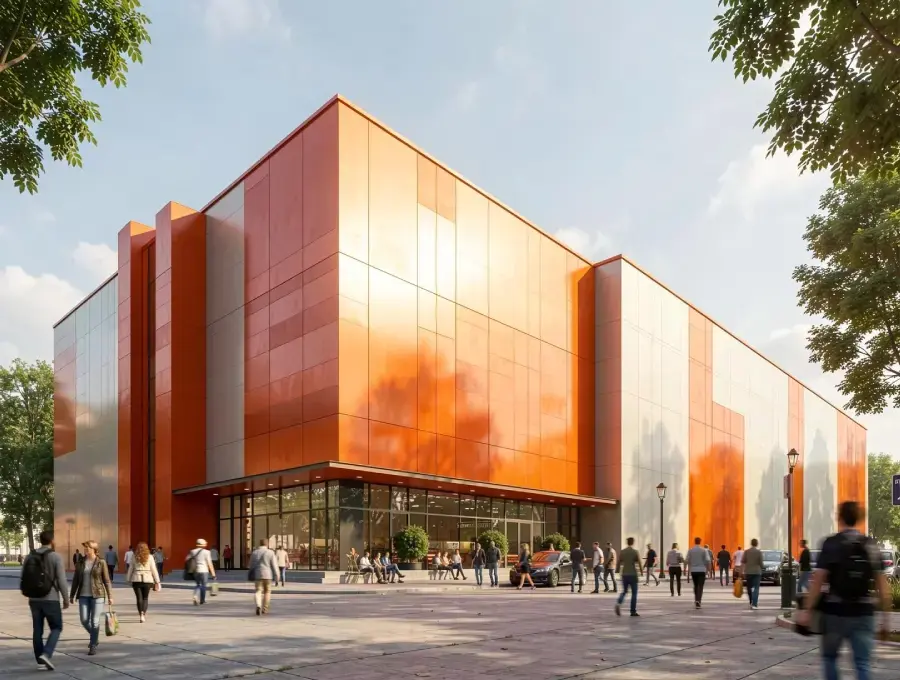
ArchiVinci entrega visuales arquitectónicos altamente realistas directamente desde bocetos, fotos o capturas de pantalla utilizando renderizado impulsado por IA. Logra realismo listo para presentación sin configuración compleja de escena, mientras que 3ds Max alcanza fotorrealismo solo después de modelado extensivo, materiales, iluminación y configuración de renderizado.


Sin curva de aprendizaje
ArchiVinci puede ser utilizado inmediatamente por arquitectos y diseñadores sin conocimiento previo de renderizado. En contraste, 3ds Max requiere capacitación significativa, experiencia técnica y un largo período de incorporación para ser productivo.
Sin requisitos de hardware ni GPU
ArchiVinci se ejecuta completamente en el navegador y no requiere GPU ni estación de trabajo de gama alta. 3ds Max es exclusivo de Windows y depende en gran medida de hardware local potente para manejar modelado y renderizado de manera eficiente.

Iteración de Diseño más Rápida
Las variaciones de diseño en ArchiVinci se generan en segundos, permitiendo explorar rápidamente conceptos y alternativas. La iteración en 3ds Max requiere ediciones manuales, ajustes de escena y ciclos de renderizado repetidos, haciendo el proceso más lento.
Generación de Renderizados a Velocidad de Luz
ArchiVinci produce renderizados de alta calidad casi instantáneamente mediante procesamiento de IA basado en nube. Los flujos de trabajo tradicionales en 3ds Max requieren tiempos de renderizado más largos según la complejidad de la escena y el rendimiento del hardware.


Menor sobrecarga de configuración y mantenimiento
ArchiVinci no requiere instalación, complementos ni mantenimiento del sistema, permitiendo que los equipos comiencen a trabajar instantáneamente. Usar 3ds Max implica instalación de software, actualizaciones, gestión de licencias y optimización continua del sistema.
Accesible para todos los equipos
ArchiVinci es accesible para arquitectos, diseñadores, gestores de proyectos y partes interesadas no técnicas. Los flujos de trabajo en 3ds Max se limitan típicamente a artistas 3D especializados con experiencia técnica.


Visualización Rentable
ArchiVinci reduce los costos generales al eliminar la necesidad de hardware costoso y mano de obra de renderizado especializada. 3ds Max genera gastos más altos a través de licencias de software, estaciones de trabajo potentes y largos ciclos de capacitación.
Prueba ArchiVinci AI gratis, una alternativa rápida y sencilla a Twinmotion para renderizados arquitectónicos.
Nuestro Impacto en Arquitectura y Diseño
3M+
IMÁGENES RENDERIZADAS
Más de 2 millones de renders arquitectónicos de alta calidad creados con ArchiVinci AI.
24/7
SOPORTE AL CLIENTE
Nuestro equipo de soporte dedicado siempre está disponible para ayudarte, sin importar tu zona horaria, garantizando que recibas ayuda a tiempo.
750,000+
USUARIOS
Una creciente comunidad global de arquitectos, diseñadores de interiores, agentes inmobiliarios y entusiastas del diseño
85%
TIEMPO AHORRADO EN RENDERIZADO
Al eliminar la necesidad de un modelado 3D complejo y un renderizado manual.
165+
PAÍSES
Sirviendo a clientes en todo el mundo, ArchiVinci ha generado un impacto en más de 165 países, adaptándose a diversos estilos de diseño.
98%
SATISFACCIÓN DEL CLIENTE
Nos enorgullece ofrecer resultados que fascinan a nuestros usuarios, según los comentarios de clientes de todo el mundo.
Comparativa ArchiVinci vs 3ds Max
Velocidad de renderización
Curva de aprendizaje
Requisitos de Hardware
Tipo de entrada
Instalación
Caso de uso ideal
Estructura de costos
Complejidad del flujo de trabajo
Configuración de iluminación
Iteración con clientes
ArchiVinci AI
5 segundos
Muy bajo
Ninguno (basado en la nube)
Bocetos, fotos, capturas de pantalla
Basado en navegador
Concepto, presentación, producción final, animación
Planes flexibles
Flujo de trabajo simple, impulsado por IA
Selección de iluminación automática optimizada por IA
Retroalimentación visual en tiempo real
3ds Max
Horas a días
Alto
CPU y GPU de alto rendimiento
Modelos 3D completos
Software de escritorio (solo Windows)
Producción final
Licencias anuales costosas
Configuración de escena compleja y manual
Requiere motores de renderizado externos para la iluminación
Ciclos de revisión lentos
¿Listo para Revolucionar tu Flujo de Trabajo?
Comienza a usar ArchiVinci hoy para acelerar tu flujo de trabajo en arquitectura y diseño de interiores. Crea visuales de alta calidad en minutos, no en semanas, y mantén el ritmo del diseño moderno. No te quedes atrás mientras el resto del mundo avanza más rápido.
Enfoques Distintos de la Visualización Arquitectónica
3ds Max es una herramienta profesional de modelado 3D y renderizado construida para geometría detallada, materiales, iluminación y visuales de calidad de producción final. Es más efectiva cuando un proyecto requiere precisión técnica y control total.
ArchiVinci adopta un enfoque impulsado por IA. Genera visuales listos para presentación directamente desde bocetos, fotos, capturas de pantalla o imágenes de referencia. Esto permite a los arquitectos visualizar ideas mucho antes, sin esperar a un modelo 3D completo.
Ambas herramientas apoyan la visualización arquitectónica, pero están diseñadas para diferentes momentos del proceso de diseño.
¿Dónde comienza la visualización en el flujo de trabajo?
Con 3ds Max, la visualización generalmente comienza después del modelado. Un modelo 3D desarrollado, la configuración de materiales, la configuración de iluminación y el rendimiento del hardware local influyen en el resultado final.
ArchiVinci permite la visualización antes de que comience el modelado completo. Los bocetos iniciales o capturas de pantalla simples son suficientes para producir visuales de alta calidad, con todo el renderizado manejado en la nube.
En resumen, ArchiVinci acelera la visualización en etapas tempranas, mientras que 3ds Max respalda el renderizado detallado a nivel de producción.
Flexibilidad vs Control Técnico
3ds Max ofrece control técnico profundo, lo que la hace adecuada para visuales finales y escenas complejas.
ArchiVinci se enfoca en velocidad y flexibilidad. Los diseñadores pueden explorar estilos, atmósferas y direcciones de diseño rápidamente sin reconstruir modelos ni ajustar configuraciones de renderizado. Esto es especialmente útil cuando la intención del diseño aún está evolucionando.
¿Por qué los equipos buscan más allá del renderizado 3D tradicional?
Los flujos de trabajo tradicionales de renderizado 3D a menudo requieren modelos completos, configuración que consume tiempo, hardware potente y experiencia especializada. En las primeras etapas del diseño, estos requisitos pueden ralentizar la iteración y la comunicación con clientes.
Plataformas basadas en IA como ArchiVinci cierran esta brecha al permitir visualización rápida a partir de entradas mínimas, ayudando a los equipos a comunicar ideas más temprano y de manera más eficiente.
Preguntas Frecuentes
¿Cuál es la diferencia principal entre ArchiVinci y 3ds Max?
La diferencia principal radica en el flujo de trabajo y el momento de uso. ArchiVinci permite visualización en etapas tempranas directamente desde bocetos, fotos o capturas de pantalla, mientras que Autodesk 3ds Max requiere un modelo 3D desarrollado y se utiliza típicamente para renderizado de nivel producción.
¿Necesito un modelo 3D completo para usar ArchiVinci?
No. ArchiVinci funciona con entradas basadas en imágenes como bocetos, imágenes de referencia, fotos y capturas de pantalla de modelos 3D. No se requiere una escena completamente modelada para generar visuales arquitectónicos de alta calidad.
¿Requiere 3ds Max modelado completo antes de renderizar?
Sí. 3ds Max es un software tradicional de modelado 3D y renderizado. La visualización generalmente comienza después de que se completan la creación de geometría, la asignación de materiales, la configuración de iluminación y la configuración de cámara.
¿Cuál es la herramienta mejor para producción final y renderizado detallado?
3ds Max es más adecuado para etapas de producción final que requieren geometría precisa, materiales avanzados, iluminación compleja y control artístico total de la escena.
¿ArchiVinci reemplaza a 3ds Max?
No. ArchiVinci no reemplaza a 3ds Max. Muchos equipos usan ArchiVinci para visualización temprana y presentaciones, y luego cambian a 3ds Max para modelado detallado y renderizado de producción final.
¿Es ArchiVinci una herramienta de renderizado en tiempo real como 3ds Max?
No. ArchiVinci es una plataforma de renderizado basada en IA que genera visuales estáticas listos para presentación. 3ds Max admite vistas previas en tiempo real en el viewport y renderizado de producción a través de motores como Arnold.
¿Depende 3ds Max del rendimiento del hardware local?
El rendimiento de renderizado y la eficiencia del flujo de trabajo en 3ds Max dependen de los recursos locales de CPU, GPU y del sistema.
¿Quién utiliza típicamente ArchiVinci?
ArchiVinci es comúnmente utilizado por arquitectos, diseñadores de interiores, estudiantes y profesionales del sector inmobiliario que necesitan resultados visuales rápidos y de alta calidad sin configuración compleja.
¿Quién suele usar 3ds Max?
3ds Max es típicamente utilizado por artistas 3D profesionales, especialistas en visualización y estudios que trabajan en proyectos arquitectónicos detallados, animación o a nivel de producción.
¿Qué herramienta es mejor para presentaciones a clientes?
ArchiVinci a menudo se prefiere para presentaciones tempranas al cliente porque permite una comunicación visual rápida y clara antes de que se finalicen las decisiones de diseño. 3ds Max se utiliza comúnmente después para visuales pulidas y finales.