Ai Interior Design
AI Interior Design Generator
ArchiVinci's AI Interior Design Generator turns a photo, hand sketch or 3D model screenshot into photorealistic interior designs. Describe the style in the prompt, pick the lighting, objects and render engine, and compare several variations in seconds. New accounts start with 3 free renders.
Go to app and start rendering
See other modules below:

Turn Photos, Sketches and 3D Model Views into Photorealistic Interior Designs
Create stunning interior spaces in seconds with ArchiVinci’s AI Interior Design Generator, an advanced AI interior design software. Upload any photo or sketch and turn it into realistic, high-quality room visuals. Whether you're designing a living room, bedroom, or kitchen, our browser-based interior design tool gives you full creative control. No software or 3D experience required.
Before & After: Real AI Interior Space Transformations
From Flat 3D Model to Cozy Realism

In this before-and-after, a sketch-style window seat is brought to life with warm wood tones, realistic textures, soft cushions, and layered lighting. The result is a reading area that feels inviting and architectural—perfect for modern apartments or quiet corners, showing the power of an interior render generator in action.
From Basic Render to Fully Staged Interior

A plain render of a kitchen and entry zone becomes a fully realized open-plan living space. Lighting, materials, and artwork come together to create a bright, contemporary atmosphere that feels lived-in and design-forward.
From Line Drawing to Photorealistic Comfort

What starts as a basic black-and-white sketch transforms into a cozy, photorealistic living room. Natural lighting, plush seating, and subtle materials elevate the scene into a space that feels personal and livable—ideal for homeowners or staging visuals.
What Is AI Interior Design?
AI interior design is the process of using artificial intelligence to visualize, redesign, or improve interior spaces from images, sketches, renders, or 3D model screenshots. It helps users explore layouts, furniture arrangements, materials, colors, lighting, and interior styles without manual rendering or complex design software.
It is also used for AI room design, online interior design visualization, and AI-generated interior design concepts for homes, apartments, and commercial spaces.
Why Choose AI Interior Design?
AI interior design helps you move from idea to visual much faster than traditional workflows. Instead of manually creating layouts, testing styles, and rendering scenes, you can generate realistic interior concepts in seconds from a single image.
Lower Design Exploration Costs
Traditional interior design and visualization workflows can become expensive, especially when you need multiple concepts, revisions, or staged visuals. AI interior design helps reduce the cost of early design exploration by letting you generate room ideas, furniture directions, and style options before committing to a full design process.
Faster Interior Design Results
Instead of waiting days or weeks to see different design directions, you can generate interior visuals in minutes. This makes it easier to test ideas quickly, compare styles, and move from inspiration to decision-making much faster.
More Design Variations
AI interior design gives you the freedom to explore multiple versions of the same space. You can test different layouts, colors, furniture styles, materials, and lighting conditions until you find the direction that works best.
Easier Iteration
If the first result is not exactly right, you can refine the prompt, change the lighting, add objects, or generate new variations. This makes the process more flexible than a single fixed concept.
Accessible for Everyone
You do not need advanced design software or rendering experience. A room photo, sketch, or render is enough to start exploring realistic interior design ideas.
How AI Interior Design Works
Using AI interior design tool does not require technical skills, 3D modeling knowledge, or previous design experience. With ArchiVinci, the process starts with a single image, such as a room photo, sketch, interior render, or model screenshot. That image becomes the base for a new design direction. You can then guide the result by choosing a render engine, adding objects, writing a prompt, selecting the lighting, and generating multiple visual options.
This makes it easy to design a room with AI from a real photo, rough sketch, or existing interior render.
1. Upload Your Input Image

Start by uploading the image you want to transform. This can be a real room photo, rough sketch, 3D model screenshot, or existing interior render. For better results, use a clear image where the room layout, walls, windows, and main furniture pieces are visible.
For photo-based workflows, ArchiVinci can turn a room photo into realistic interior design options while keeping the original space recognizable.
2. Choose a Render Engine

Select the AI model you want to use. ArchiVinci 4.0, the default engine, is ideal for realistic interior design results, while Nano Banana 2, GPT Image 2, Seedream 5.0 Lite, and Qwen Image 2 can help you explore alternative styles, visual directions, and quick design variations.
3. Add Objects If Needed

If you want to include extra elements, pick them under Add object: Seating, Plants, People, Pet, Lamps or Accessories. For anything else, such as wall art, rugs or a specific piece of furniture, write it in the prompt. This is useful for AI furniture placement, room decoration, and testing how new objects fit into the existing layout.
4. Describe Your Design Direction in Prompt Field
Use the prompt field to explain what you want to create. You can describe the room style, colors, materials, mood, furniture type, or specific changes you want to see.
Warm modern living room, beige linen sofa, oak wood floor, round travertine coffee table, sheer curtains, soft daylight
5. Select the Lighting Mood

Choose a lighting option that matches the atmosphere you want. Studio light works well for clean presentations, warm light creates a cozy feeling, golden hour adds drama, and daylight gives a bright realistic look.
6. Choose the Number of Images

Select how many variations you want to generate: up to 4 per run with a plan, one per run on a free account. Creating multiple outputs helps you compare different interior design ideas from the same input.
7. Generate Your AI Interior Design Renders

Click Generate to create your interior visuals. ArchiVinci will use your image, selected engine, objects, prompt, and lighting choice to produce realistic interior design options based on your selected settings.
Who Can Benefit from AI Interior Design?
AI interior design can support different users at different stages of the design process, from early inspiration to client-ready visualization.
Interior Designers
Interior designers can quickly generate multiple room concepts, material directions, furniture styles, and layout ideas for clients. This helps speed up early ideation and makes it easier to compare different design options visually.
Architects
Architects can use AI interior renders to test spatial atmosphere, material palettes, lighting conditions, and interior concepts before moving into detailed visualization. It is especially useful for presentations, concept reviews, and early-stage client communication.
Real Estate Agents and Home Stagers
Real estate agents and home stagers can turn empty or outdated rooms into furnished, styled interiors. This makes listings more attractive and helps potential buyers understand how a space could look after furnishing or renovation.
Homeowners and DIY Renovators
Homeowners can explore interior ideas before buying furniture, repainting walls, or starting a renovation. AI interior design makes it easier to test styles, colors, layouts, and decor choices before making expensive decisions.
Design Students and Content Creators
Students and creators can use AI interior design to test ideas, build visual concepts, create portfolio images, and explore different styles without advanced rendering software.
What You Can Use as Input
Start with a photo, sketch, 3D model screenshot, or existing render and turn it into a realistic interior design.
Photo to Hotel Interior Design
What to expect: Turn an existing room photo into a refined hotel interior concept. Keep the room structure while upgrading furniture, lighting, materials, and the overall atmosphere.
Input: Photo
Output: Hotel

Sketch to Hospital Interior Design
What to expect: Turn a rough hand sketch into a realistic hospital interior visualization. Preserve the design intent while adding appropriate materials, lighting, furniture, and details.
Input: Sketch
Output: Hospital

3D Model to Restaurant Interior Design
What to expect: Turn a basic 3D model screenshot into a photorealistic restaurant interior. Preserve the spatial structure while adding furniture, materials, lighting, and a distinctive dining atmosphere.
Input: 3D model
Output: Restaurant

Existing Render to Office Interior Design
What to expect: Upgrade an existing render into a more polished office visualization. Keep the original composition while improving materials, lighting, furniture, and workspace functionality.
Input: Render
Output: Office

Key Benefits of AI in Interior Design
Automating Design Tasks
AI interior design helps reduce repetitive visual tasks such as generating room concepts, testing styles, placing furniture, exploring color palettes, and creating design variations. This allows users to move faster from idea to visual direction without starting every concept manually.
Enhancing Creativity
AI interior design tool makes it easier to explore design ideas that may not come up in a traditional workflow. Users can test different interior styles, moods, materials, and furniture combinations in seconds, making the creative process more open and experimental.
Reducing Errors
AI interior design can help maintain visual consistency by working from the uploaded room image, sketch, or render. It supports better alignment between the original space and the generated design direction, reducing mismatches in layout, proportion, and atmosphere during early visualization.
Supporting Human-AI Collaboration
AI interior design works best as an interior design assistant, not a replacement for human creativity. Designers, architects, and homeowners can use AI-generated interior visuals as starting points, then refine the best ideas with their own judgment, functional needs, and project context.
AI Interior Design for Different Spaces
AI interior design can be used for many types of spaces, from living rooms and bedrooms to kitchens, bathrooms, patios, offices, and cafes. Each room and space type has different functional needs, so the AI should generate results based on the purpose of the space, not only the visual style.
For example, a living room design may focus on seating, comfort, and atmosphere, while a kitchen design needs to consider cabinets, surfaces, lighting, and workflow. Bedroom interiors may prioritize calm colors and soft materials, while office interiors often require practical layouts and better focus zones.
What Makes an AI Interior Design Generator Effective?
A good AI interior design tool should do more than generate visually appealing room images. It should help users understand, explore, and refine real spaces by combining image analysis, layout awareness, style control, realistic rendering, and fast visual iteration.
To achieve this, a strong AI interior design tool should include the following features:
A good AI interior design tool should understand the uploaded room image accurately by recognizing walls, windows, furniture, proportions, lighting, and existing architectural features.
It should preserve layout and spatial logic by understanding circulation, furniture placement, room function, and the relationship between objects instead of generating random designs.
It should support different room categories, including living rooms, bedrooms, kitchens, bathrooms, dining areas, offices, kids rooms, and custom interior spaces.
It should offer ready-to-use interior style directions such as modern, Scandinavian, industrial, minimalist, bohemian, traditional, contemporary, and mid-century.
It should give users control over the design direction through prompts, style options, materials, color palettes, furniture preferences, and mood descriptions.
It should help users explore color palettes by testing neutral tones, warm schemes, cool palettes, earthy colors, and material-based combinations.
It should allow object-level editing so users can add, remove, or replace specific elements such as furniture, lighting, flooring, wall art, decor, plants, and accessories.
It should allow users to define custom requirements, such as preferred furniture, materials, objects to add, elements to avoid, functional needs, or mood direction.
It should generate realistic materials and lighting with believable textures, shadows, reflections, surface finishes, and lighting options such as daylight, warm light, studio light, twilight, or golden hour.
It should support fast iteration and multiple variations by generating several design options from the same input, making it easier to compare styles, layouts, colors, furniture arrangements, and moods.
It should be simple to use while offering professional control so beginners can generate designs quickly, while designers, architects, and real estate teams can fine-tune results with prompts, object edits, lighting controls, render engines, and variation settings.
AI Interior Design for Different Room Types
AI interior design generators can create realistic designs for a wide range of room types, each with different functional and visual needs. Below are five common room types you can design and visualize using an AI interior design generator.


Tips for Getting the Best Results
Getting better AI interior design results depends on the quality of your input, the clarity of your prompt, and how well you guide the tool. A clean image, focused instructions, and controlled lighting choices usually lead to more realistic and consistent renders.
Start with a Clean Input Image

Upload a clear room photo, sketch, render, or model screenshot. Avoid screenshots with guides, grids, extra marks, toolbars, or visual noise, because the AI may treat them as part of the space. A clean image helps the tool read the room structure more accurately.
Use a Short and Clear Prompt
Keep your prompt focused on the main design goal. Instead of writing a long paragraph, describe the most important style, material, object, or mood.
For example: “warm modern living room, beige sofa, oak wood, soft daylight.”
Be Specific About Objects
If you want to add or replace something, name it clearly. You can write prompts like “add a modern sofa on the right,” “replace the dining table with a round wooden table,” or “add plants near the window.” Specific object instructions usually give more controlled results. To change only that object and keep the rest of the picture as it is, use Edit render under the result and mark the area.
Choose Lighting Intentionally
Lighting changes the mood and realism of the result. Use daylight for bright realistic interiors, warm light for cozy spaces, studio light for clean presentations, twilight for softer evening scenes, and golden hour for a more dramatic atmosphere.
Keep Layout Goals Clear
Decide whether you want to preserve the original room or explore a more creative redesign. If you need a realistic transformation of the same space, keep the prompt controlled and avoid asking for too many major changes at once.
Generate Multiple Variations
Create several outputs from the same input when comparing styles, furniture arrangements, or moods. Multiple variations help you see which direction works best before refining the final result.
Refine Step by Step
Use the first result as a starting point. Adjust the prompt, lighting, objects, or render engine to improve the design. Small changes usually produce better results than trying to solve everything in one generation.
AI Home Design vs AI Interior Design
AI home design and AI interior design are closely related but serve different purposes within the design process. While both use artificial intelligence to generate visual concepts and design ideas, they focus on different scales of the project. AI home design covers the entire property. This includes exterior design, architectural concepts, floor plans, site layout, landscaping, and overall house form. It is typically used in early-stage planning when exploring how a building should look, how spaces are organized, and how the house fits into its environment.
AI interior design focuses specifically on indoor spaces. It is used to redesign rooms, test furniture arrangements, explore materials and colors, adjust lighting, and create realistic interior visuals for presentations or decision-making. It works directly with room photos, sketches, or renders and helps refine how a space looks and feels inside.
If your goal is to redesign a room, test different interior styles, or visualize furniture and materials, AI interior design is the more precise and practical approach. If you want to explore the full house, including architecture, layout, and exterior appearance, AI home design is the broader category.
Key Differences
Aspect | AI Interior Design | AI Home Design |
|---|---|---|
Scope | Indoor spaces only | Full property (inside + outside) |
Focus | Rooms, furniture, decor, materials, lighting | Architecture, exterior, layout, site planning |
Inputs | Room photos, sketches, interior renders | Floor plans, site plans, massing, exterior images |
Output | Interior renders, room redesigns, styled spaces | House concepts, exterior visuals, layouts |
Use Case | Room redesign, visualization, presentation | Early planning, concept development |
Detail Level | More detailed at room level | Broader, conceptual |
Users | Interior designers, homeowners, real estate | Architects, developers, planners |
When to Use Each
Use AI interior design when you want to redesign a room, test furniture placement, explore styles, or create realistic interior visuals from an existing space.
Use AI home design when you are planning a house, exploring architectural ideas, testing layouts, or visualizing the exterior and overall structure.
Frequently Asked Questions
Can AI do interior design?
Yes. AI can support interior design by generating room concepts, testing layouts, suggesting furniture and materials, and creating realistic interior visuals. It works best as a tool for ideation and visualization rather than replacing professional design decisions.
How is AI technology applied in interior design?
AI technology is applied in interior design by analyzing room images, layout structure, furniture placement, materials, lighting, and user prompts to generate realistic design options. It can support space planning, style exploration, color and material testing, virtual staging, lighting simulation, and photorealistic interior rendering.
How much does AI interior design cost?
The cost of AI interior design depends on the tool and features offered. With ArchiVinci, a new account starts with 3 free renders, so you can test the interior design generator on your own image before paying anything. Paid plans differ by length (weekly, monthly, yearly or a one-time package) and by number of users; with a plan, renders on the default engine are unlimited. See the Pricing page.
ArchiVinci offers individual subscriptions, one-time payment options, and team plans. Its plans are not limited to a single module, so users can access multiple AI rendering and design tools under the same plan. For full details, check our Pricing page.
Do I need design experience to use AI interior design?
No. You can upload an image, write a simple prompt, choose a lighting option, and generate interior design visuals without 3D modeling or rendering experience.
What inputs can I use for AI interior design?
You can use room photos, sketches, interior renders, or 3D model screenshots as input for AI interior design.
What image formats does the AI interior design module support?
The AI interior design module accepts JPG, PNG and WebP images up to 5 MB. For more consistent results, use a bright, high-quality image that clearly shows the room layout and key elements.
Can I create AI interior design from a photo or sketch?
Yes. ArchiVinci can turn room photos, rough sketches, hand-drawn room views, and concept drawings into realistic AI interior design renders.
What room types can AI interior design generate?
AI interior design can generate living rooms, bedrooms, kitchens, bathrooms, dining rooms, offices, kids rooms, apartments, and custom indoor spaces.
What interior styles can AI interior design module generate?
ArchiVinci AI interior design module can generate modern, Scandinavian, minimalist, industrial, bohemian, contemporary, traditional, mid-century, Japandi, coastal, luxury, and many other interior styles.
There is no style list to pick from: you describe the style in the prompt field, which also lets you ask for niche, mixed, or highly specific interior design directions.
Can AI interior design generator help with room layout and furniture placement?
Yes. The Furnish Room module helps you explore furniture placement and room layouts while keeping the existing space and proportions.
Can AI interior design tool suggest colors, materials, and lighting ideas?
Yes. AI interior design can help explore color palettes, materials, finishes, and lighting moods such as daylight, warm light, ambient light, twilight, and golden hour.
Does ArchiVinci Interior AI module generate multiple room design options?
Yes. With a plan, the Interior AI module can generate up to 4 AI room design variations from the same input in one run, so users can compare different styles, layouts, colors, and furniture options. A free account makes one image per run.
How accurate are AI interior design renders?
AI interior renders are visually realistic and useful for moodboards, concepts, presentations, and early planning, but they aren’t technical CAD drawings.
Will my AI interior design renders contain any artefacts?
AI-generated interior designs can sometimes include minor artefacts, such as small distortions in objects, textures, or fine details. These are more common in complex scenes or when the input image is unclear.
With a clean input image, clear prompts, and controlled settings, most results are highly realistic. If artefacts appear, they can usually be improved by refining the prompt, adjusting objects or lighting, or generating a new variation.
Can AI interior design generate realistic room renders?
Yes. AI interior design can generate realistic room renders with believable materials, lighting, shadows, textures, and spatial atmosphere.
Can AI interior design be used for renovation planning?
Yes. AI can help test materials, colors, layouts, furniture, and lighting before renovation decisions are made.
Is AI interior design useful for homeowners?
Yes. Homeowners can use AI interior design to test furniture, colors, materials, lighting, and room styles before renovating or buying new items.
Can AI interior design be used for real estate?
Yes. AI interior design can be used for virtual staging, helping empty or outdated listings look furnished, styled, and easier to understand.
Can AI interior design be used for commercial spaces?
Yes. AI can generate interior concepts for offices, restaurants, cafes, retail stores, hotels, co-working spaces, and other commercial environments.
Can AI interior design be used for moodboards and client presentations?
Yes. AI-generated interiors can support moodboards and client presentations by turning abstract ideas into realistic room visuals.
Can AI interior design generate home decor ideas?
Yes. AI interior design can generate home decor ideas based on your room image, preferred style, color palette, materials, and mood. It can suggest visual directions for furniture, accessories, lighting, wall decor, and overall room atmosphere.
Can AI interior design support product visualization?
Yes. Furniture and decor brands can use AI interior design to place products inside realistic room scenes for catalogs, ads, or e-commerce visuals.
Can AI interior design create before-and-after visuals?
Yes. AI interior design can create before-and-after room transformations by comparing the original input with the generated redesign.
Can AI interior design be used online?
Yes. ArchiVinci is browser-based and provides cloud rendering, so users can generate AI interior design renders online without installing software or setting up a GPU.
What sets ArchiVinci AI interior design module apart from other tools?
ArchiVinci is built specifically for interior and architectural visualization, not general image generation. It understands room structure, furniture placement, spatial relationships, and lighting conditions, allowing it to generate more realistic and context-aware interior designs.
It also provides more control through render engines, object-level editing, prompt guidance, and multiple variations, making it suitable for both quick ideation and more precise design exploration.
Can AI interior design replace an interior designer?
No. AI interior design is best used as an online interior design assistant. It speeds up ideation and visualization, while human designers still guide strategy, function, taste, and final execution.
What is the best AI interior design app?
The best AI interior design app should deliver accurate, photorealistic results, preserve room layout and geometry, and generate renders fast without complex setup.
ArchiVinci stands out as a strong option because its AI renderer combines render precision, speed, and flexibility in one platform. It produces photorealistic interior renders in seconds while preserving material textures, surface details, and spatial structure.
Interior Styles You Can Generate with Our AI Interior Design Tool
Modern Sophistication

Glamour Grandeur

Minimalist Modernism

European Chic

Contemporary Trends

Eclectic Style

Creamy Delight
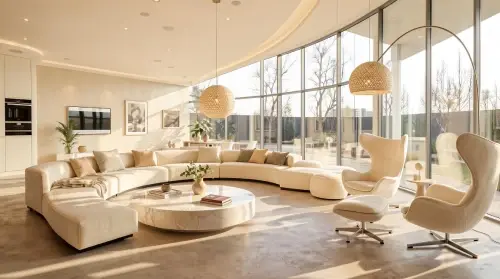
Country Comfort

Nordic Serenity

Eclectic Harmony

Urban Modernism

Southeast Oasis

Industrial Forge

Santorini Bliss

Bohemian Oasis

Zen Japanese

Neo-Classical Grace

Bali Tranquility

Transitional Style

Wabi-Sabi Essence

Nature's Edge
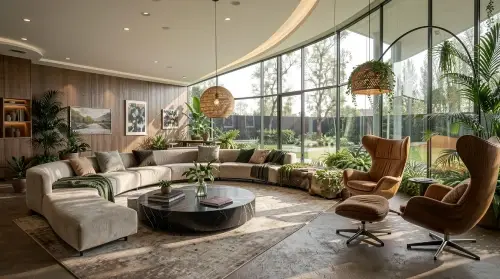
Futuristic Vision

Art Deco Luxe

Retro Revival
