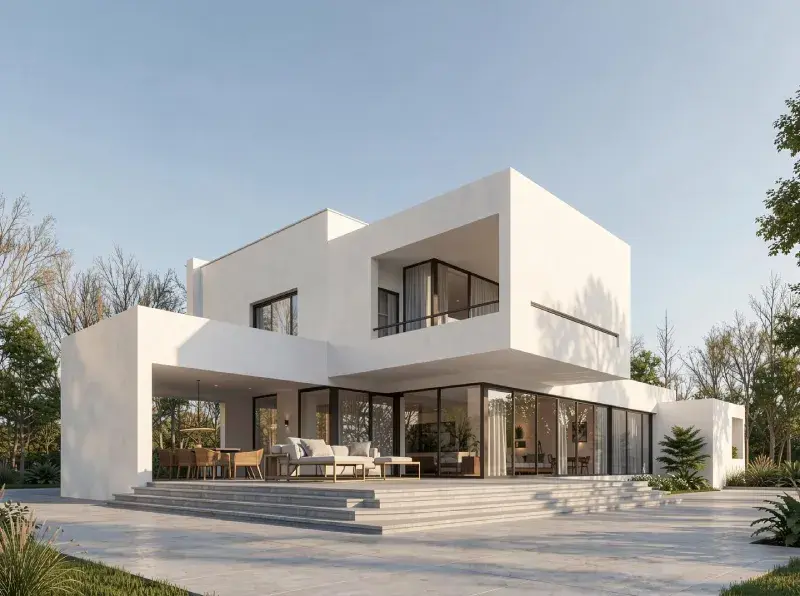
Alternativa a Blender impulsada por IA para renderizado: ArchiVinci
ArchiVinci permite a los arquitectos visualizar ideas al instante mediante renderizado impulsado por IA, mientras que Blender posiciona el renderizado como una etapa precisa y orientada a la producción dentro de un flujo de trabajo 3D tradicional.
Con la confianza de más de 800 K+ arquitectos y diseñadores en todo el mundo
Utilizado por estudios de arquitectura, diseñadores de interiores, equipos inmobiliarios y entusiastas del diseño en todo el mundo.
ArchiVinci vs Blender: flujos de trabajo de renderizado arquitectónico comparados
Las herramientas de visualización arquitectónica están evolucionando rápidamente a medida que las plataformas impulsadas por IA y el software 3D tradicional comienzan a desempeñar roles fundamentalmente diferentes en el proceso de diseño.
Al comparar ArchiVinci vs Blender, la distinción clave no es la calidad visual, sino la intención del flujo de trabajo, el momento y la sobrecarga técnica.
Ambas herramientas son capaces de producir elementos visuales convincentes, pero están optimizadas para etapas muy diferentes del diseño arquitectónico.
¿Por qué los equipos eligen ArchiVinci sobre Blender?
Construido para renderizado impulsado por IA
ArchiVinci es nativo de IA y está optimizado para velocidad e iteración, mientras que el renderizado de Blender se basa en motores físicamente precisos diseñados para precisión y salida final.
Esto hace que ArchiVinci sea más adecuado para flujos de trabajo de diseño rápido, mientras que Blender destaca en canalizaciones orientadas a la producción.


Renderizados instantáneos, sin configuración de escena
ArchiVinci renderiza directamente desde bocetos, capturas de pantalla, fotos o planos.
El renderizado de Blender requiere escenas 3D completamente preparadas con geometría, materiales, iluminación y cámaras.
Esto elimina la necesidad de construcción de escenas que consume tiempo en las fases iniciales de diseño.
Sin Limitaciones de Hardware
ArchiVinci elimina la dependencia de GPU y estaciones de trabajo mediante renderización en la nube.
El rendimiento de renderización en Blender escala según la inversión en hardware local.
Los equipos pueden renderizar de forma consistente sin necesidad de actualizar máquinas ni gestionar recursos de renderización.


Ciclos de iteración más rápidos
ArchiVinci produce alternativas listas para presentación al instante. ArchiVinci genera múltiples variaciones visuales en segundos.
La renderización en Blender prioriza el refinamiento, lo que hace que la iteración sea más lenta y secuencial.
Esto permite una exploración más amplia antes de comprometerse con una dirección final. La renderización en Blender se enfoca en renders únicos de alta fidelidad por iteración.
Los ciclos de retroalimentación con clientes se vuelven más cortos y eficientes.
Barrera de entrada más baja
ArchiVinci funciona completamente en el navegador con una curva de aprendizaje mínima.
La renderización en Blender requiere experiencia en 3D y renderización para operar efectivamente.
Esto permite que usuarios no técnicos produzcan visuales de alta calidad rápidamente.


Alineación en la etapa de diseño
ArchiVinci apoya la exploración de diseño en etapas tempranas e intermedias.
La renderización en Blender se utiliza típicamente una vez que los diseños están finalizados.
Cada herramienta se alinea con un momento diferente en el flujo de trabajo arquitectónico.
Agilidad vs Control
ArchiVinci permite la toma de decisiones visuales rápida.
El renderizado en Blender se enfoca en la precisión técnica detallada.
La velocidad y flexibilidad se priorizan sobre el control profundo de parámetros.


Diseña en Cualquier Lugar
ArchiVinci funciona en cualquier dispositivo, en cualquier lugar.
El renderizado en Blender está ligado a entornos de estación de trabajo de escritorio.
Esto hace que ArchiVinci sea más fácil de usar entre equipos y ubicaciones.
Prueba ArchiVinci AI gratis, una alternativa rápida y sencilla a Twinmotion para renderizados arquitectónicos.
Nuestro Impacto en Arquitectura y Diseño
5M+
IMÁGENES RENDERIZADAS
Más de 5 millones de renders arquitectónicos de alta calidad creados con ArchiVinci AI.
24/7
SOPORTE AL CLIENTE
Nuestro equipo de soporte dedicado siempre está disponible para ayudarte, sin importar tu zona horaria, garantizando que recibas ayuda a tiempo.
800,000+
USUARIOS
Una creciente comunidad global de arquitectos, diseñadores de interiores, agentes inmobiliarios y entusiastas del diseño
85%
TIEMPO AHORRADO EN RENDERIZADO
Al eliminar la necesidad de un modelado 3D complejo y un renderizado manual.
165+
PAÍSES
Sirviendo a clientes en todo el mundo, ArchiVinci ha generado un impacto en más de 165 países, adaptándose a diversos estilos de diseño.
98%
SATISFACCIÓN DEL CLIENTE
Nos enorgullece ofrecer resultados que fascinan a nuestros usuarios, según los comentarios de clientes de todo el mundo.
ArchiVinci vs Blender Rendering Workflow: IA en la nube vs Pipelines 3D locales
Posicionamiento principal
Enfoque arquitectónico
Enfoque de renderizado
Requisito de modelado
Curva de aprendizaje
Tiempo hasta el primer render (incluida la configuración)
Velocidad de iteración
Dependencia de hardware
Asistencia de IA
Fortaleza principal
ArchiVinci AI
Plataforma de renderizado arquitectónico nativa de IA
Arquitectura primero (interior, exterior, masterplan)
Impulsado por IA, basado en imagen y prompt
No requerido
Muy bajo
Segundos
Generación instantánea de múltiples variaciones, experimentación rápida
Basado en la nube, sin GPU necesaria, interfaz en navegador
Flujo de trabajo principal
Velocidad, accesibilidad, ideación
Blender
Suite de creación 3D de código abierto completa
Propósito general (la arquitectura es uno de muchos casos de uso)
Trazado de rayos basado en física (Cycles / Eevee)
Obligatorio (modelado, materiales, luces, cámaras)
Alto (geometría, sombreado, iluminación, optimización)
Horas
Ajustes manuales por iteración, exploración técnica
Fuertemente dependiente de GPU/CPU local, aplicación de escritorio requerida
Limitado / complementos externos
Precisión, control, versatilidad
¿Listo para Revolucionar tu Flujo de Trabajo?
Agrega ArchiVinci a tu flujo de trabajo y desbloquea iteraciones más rápidas, visuales más claros y decisiones de diseño más ágiles.
¿Cómo Difieren los Flujos de Trabajo de Renderizado Impulsados por IA y Manuales en Arquitectura?
ArchiVinci es una plataforma de renderizado arquitectónico nativa de IA construida para visualización rápida, iteración ágil y validación temprana del diseño. Permite a los arquitectos pasar de la intención de diseño al resultado visual casi instantáneamente, apoyando la exploración creativa y la comparación rápida de alternativas sin la sobrecarga de los pasos tradicionales de producción 3D.
Blender, en contraste, es un conjunto completo de creación 3D de código abierto diseñado para control total del flujo de trabajo de producción. Sus flujos de trabajo de renderizado se basan en motores físicamente precisos como Cycles y Eevee, que están optimizados para precisión, realismo y consistencia en escenas completamente desarrolladas. Esto hace que Blender sea más adecuado para flujos de trabajo detallados orientados a la producción, donde la precisión técnica y el control granular son esenciales.
Desde una perspectiva de flujo de trabajo arquitectónico, ArchiVinci acelera principalmente el pensamiento de diseño, la iteración y la toma de decisiones, mientras que Blender respalda la ejecución, el refinamiento y la precisión técnica una vez que las decisiones de diseño ya están establecidas.
Requisitos de Entrada para Renderizado
Una de las diferencias más significativas en la comparación ArchiVinci vs Blender radica en los requisitos de entrada.
ArchiVinci funciona con entradas basadas en imágenes, incluyendo bocetos a mano, exportaciones de CAD, capturas de pantalla de modelos 3D, imágenes de referencia y moodboards. Su motor de renderizado arquitectónico de IA interpreta automáticamente la geometría espacial, la escala y la perspectiva, permitiendo a los arquitectos pasar directamente de la idea al resultado visual.
Blender requiere construcción explícita de geometría. Cada objeto debe ser modelado, desenvuelto, texturizado, sombreado e iluminado antes de que pueda comenzar el renderizado. Si bien esto proporciona un control técnico sin igual, introduce un tiempo de configuración sustancial y requiere experiencia avanzada en 3D.
Para arquitectos enfocados en iteración rápida de diseño en lugar de creación completa de activos 3D, esta diferencia es crítica.
¿Cuándo Deben Usar los Arquitectos ArchiVinci o Blender?
La visualización sirve a propósitos diferentes en diferentes momentos del proceso de diseño arquitectónico. En las etapas iniciales e intermedias, actúa como una herramienta de exploración, ayudando a los arquitectos a probar ideas, comparar alternativas y comunicar la intención rápidamente.
ArchiVinci es más efectivo durante:
Diseño conceptual
Diseño esquemático
Comparación de opciones de diseño
Presentaciones a clientes
Elementos visuales de marketing temprano
Blender se vuelve más relevante cuando:
Las decisiones de diseño están finalizadas
Se requiere geometría detallada
Es necesaria la reutilización de recursos o animación
Se requiere control total de producción
Dependencia de hardware y accesibilidad
ArchiVinci funciona completamente en la nube, lo que la hace independiente del hardware. Los arquitectos pueden generar renders desde cualquier dispositivo y desde cualquier lugar, sin limitaciones de rendimiento vinculadas a CPU o GPU locales.
El rendimiento de Blender se escala directamente con el hardware. La renderización de alta calidad requiere GPUs potentes, VRAM suficiente y configuraciones del sistema optimizadas, lo que puede aumentar el costo y limitar la movilidad. Para equipos distribuidos, colaboración remota y entornos de diseño de ritmo rápido, esta diferencia favorece fuertemente a las plataformas de renderización basadas en IA.
Elegir entre ArchiVinci y Blender
Al evaluar ArchiVinci vs Blender, la verdadera pregunta no es "cuál herramienta es mejor", sino cuál herramienta se adapta a la intención de diseño actual.
Elige ArchiVinci cuando la velocidad, la iteración y la claridad visual son críticas.
Elige Blender cuando se requieren precisión técnica, modelado detallado y control total de la producción.
Usadas juntas, ArchiVinci acelera el pensamiento arquitectónico inicial, mientras que Blender entrega profundidad y precisión en la etapa de ejecución, reflejando cómo la arquitectura contemporánea integra cada vez más la IA con flujos de trabajo 3D tradicionales.
Preguntas frecuentes: ArchiVinci vs Blender
¿Se puede usar ArchiVinci junto con Blender en el mismo proyecto?
Sí. Muchos equipos arquitectónicos usan ArchiVinci durante la visualización temprana y la alineación del diseño, y luego hacen la transición a Blender para la producción 3D detallada y los activos finales. Las herramientas sirven para diferentes momentos del flujo de trabajo y pueden complementarse mutuamente sin superposición.
¿Usar ArchiVinci limita el control creativo comparado con Blender?
ArchiVinci prioriza la velocidad y la dirección visual sobre el control técnico de bajo nivel. Aunque Blender permite control total a nivel de geometría, sombreador e iluminación, ArchiVinci permite a los arquitectos guiar los resultados a través de la intención de diseño, referencias e iteración en lugar de configuración manual.
¿Cómo afecta ArchiVinci los cronogramas del proyecto comparado con Blender?
Al eliminar la configuración manual y reducir el tiempo de iteración, ArchiVinci puede acortar significativamente los ciclos de visualización temprana. Esto a menudo conduce a aprobaciones más rápidas y a menos revisiones en la fase de producción posterior.
¿Sigue siendo necesario Blender si un equipo utiliza ArchiVinci?
Para proyectos que requieren modelado detallado, animación, reutilización de activos o precisión de grado de producción, Blender sigue siendo esencial. ArchiVinci no tiene como objetivo reemplazar herramientas de creación 3D completas, sino reducir la fricción antes de que sean necesarias.
¿Qué herramienta es más adecuada para arquitectos no técnicos?
ArchiVinci. Su interfaz basada en navegador y flujo de trabajo impulsado por IA la hacen accesible para arquitectos que desean visuales de alta calidad sin experiencia profunda en 3D o renderizado.
¿Admite ArchiVinci flujos de trabajo colaborativos o remotos?
Sí. Dado que ArchiVinci se ejecuta completamente en el navegador y en la nube, admite trabajo independiente de la ubicación y compartición fácil entre equipos distribuidos.
¿Cómo se compara ArchiVinci con Blender en términos de escalabilidad?
ArchiVinci se escala mediante infraestructura en la nube en lugar de hardware local, lo que facilita mantener un rendimiento consistente entre equipos. La escalabilidad de Blender depende de las capacidades de las estaciones de trabajo individuales y la optimización del sistema.
¿Cuál es la principal diferencia estratégica entre ArchiVinci y Blender?
La diferencia principal es la temporalización. ArchiVinci está diseñado para acelerar la exploración y la toma de decisiones al inicio del proceso de diseño, mientras que Blender está diseñado para ejecutar y refinar decisiones una vez que se han finalizado.