Updated on: 29 January 2026
Designing a space no longer begins with static sketches or uncertain guesses. Today, digital tools let you test ideas, explore styles, and shape layouts visually before making a single real-world change. This has completely changed how people approach interior design.
With the right interior design app, anyone can experiment with layouts, materials, and lighting, refining ideas quickly and confidently. These tools make it easier to see how a space will look and feel long before anything is built.
In this guide, you’ll explore the benefits of using interior design apps and discover the best tools available today. We’ll compare leading platforms, highlight their strengths, and help you decide which solution fits your needs best.
What is Interior Design App?
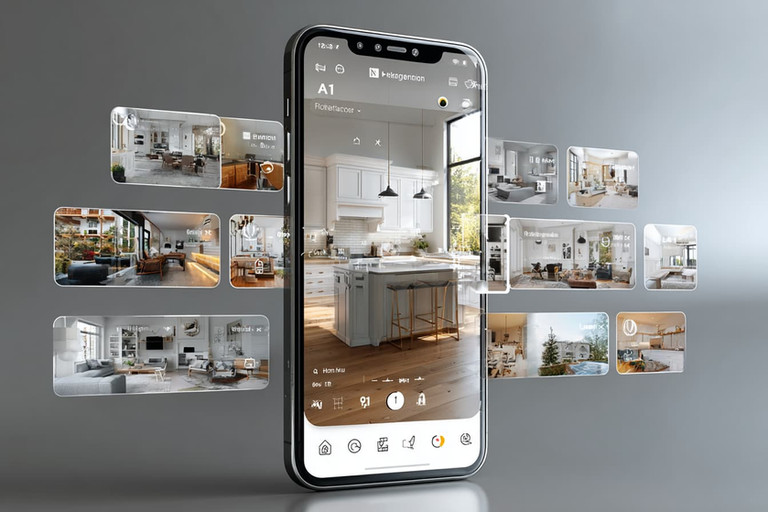
An interior design app is a digital tool that helps users plan, design, and visualize interior spaces before making real changes. These apps allow you to create floor plans, arrange furniture, choose materials and colors, and see how everything looks together in 2D or 3D.
Interior design apps are used by homeowners, interior designers, and architects to experiment with layouts, test ideas, and make confident design decisions.
Many modern apps include realistic lighting, rendering, and AR features, making it easier to understand how a space will feel in real life.
Benefits of Interior Design Apps
Interior design apps make it much easier to turn ideas into clear, visual plans. Instead of guessing how a space might look, you can see layouts, furniture, colors, and materials come together on screen before making any real changes. This alone helps avoid many common design mistakes.
Another major benefit is the ability to experiment freely. You can try different layouts, swap furniture, test color palettes, or adjust lighting in minutes. Because everything happens digitally, there’s no risk and no extra cost while exploring different design options.
These apps also help save time and money. By planning details in advance, you reduce the chances of buying the wrong furniture, choosing unsuitable materials, or needing changes during renovation. Clear visual plans also make communication easier when working with contractors or designers.
Interior design apps are especially useful for making confident decisions. Seeing realistic previews helps you understand proportions, scale, and flow, so your choices feel informed rather than uncertain.
Most importantly, interior design apps make design more accessible. Whether you’re a homeowner planning a single room or a professional working on full projects, they offer an intuitive way to design, visualize, and refine spaces without needing complex technical tools.
Best Interior Design Apps (2026)
1. Live Home 3D (Mac • Windows • iOS • Android)

What It Does?
Live Home 3D is a powerful yet easy to use home and interior design application that lets users create accurate 2D floor plans and transform them into realistic 3D spaces. It supports the full design process from initial layout to detailed interior and exterior visualization.
The software is suitable for architects, interior designers, and homeowners who want to plan, visualize, and experience spaces before they are built. With realistic lighting, terrain modeling, and interactive walkthroughs, designs feel spatial and immersive rather than purely technical.
Key Features
Work in 2D and 3D modes within the same project for complete architectural visualization
Create detailed floor plans with instant 3D previews
Access a large library of furniture, objects, and materials
Design terrain, landscapes, and exterior spaces
Configure advanced roof and wall types
Use realistic lighting, shadows, and rendering engines
Explore designs with 3D walkthroughs and AR preview
Work seamlessly across macOS, Windows, iOS, Android, and visionOS
Pricing (2026)
Free version available
Standard: $5.99/month or $19.99/year
Pro: $14.99/month or $39.99/year
Lifetime license: $49.99 (Standard), $99.99 (Pro)
Best For
Architects, interior designers, and homeowners who want to create complete home designs and visualize them with realistic detail before building or renovating.
2. Homestyler (Web • iOS • Android)

What It Does?
Homestyler is an online 3D interior design platform that lets you create floor plans, furnish rooms, and experiment with layouts and color schemes directly in your browser or on mobile devices. Since it is fully cloud based, there is no need to install heavy software and your projects are accessible from anywhere.
Its intuitive drag and drop workflow makes Homestyler especially easy for beginners to pick up and start designing right away. At the same time, the platform offers enough depth to support more detailed interior planning.
More advanced users benefit from a large library of real furniture brands, realistic lighting options, and AR preview tools. Together, these features make Homestyler a fast and visual way to explore design ideas without a steep learning curve.
Key Features
One click AI conversion that turns 2D floor plans or hand drawn sketches into fully editable 3D house models
Easy 3D design and floor planning tools that make layout creation fast and intuitive
Drag and drop decorating with access to over 10 million branded, realistic 3D furniture and décor models
Over one million real furniture models that help designs closely match real world products
Built in cloud rendering that produces high quality, photo realistic visuals without depending on local hardware power
Realistic rendering with adjustable lighting options to better understand materials and colors
A clear, guided workflow that takes you through drawing, decorating, and visualizing in one seamless process
More than 500 ready made templates covering popular interior design styles to help you get started faster
Rich 3D model packs for interiors, exteriors, furniture, lighting, and decorative details
AR mode for previewing designs directly in real spaces and understanding scale and placement
Web based and mobile friendly setup with no heavy software installation required
Personalized learning paths designed to help users grow from beginners to more advanced designers
Weekly design challenges and an active global community for inspiration, feedback, and skill development
Community sharing features and an inspiration feed to explore and showcase trending designs worldwide
Pricing (2026)
Free plan with limited tools
Pro: from $4.90/month
Master: from $9.90/month
Team: from $19.60/user/month
Best For
Beginners, design enthusiasts, and freelance decorators looking for a quick, visually engaging design experience.
3. SketchUp (Web • iPad • Windows • macOS)

What It Does?
SketchUp is an easy to use yet powerful 3D modeling tool for architects, interior designers, and builders. It helps turn ideas into clear 3D models that are easy to understand, share, and communicate.
The software supports the entire design process, from early sketches to detailed presentations and construction ready documentation. Its intuitive tools make it simple to explore ideas quickly, while advanced features ensure professional level accuracy.
With a rich ecosystem of extensions and strong documentation capabilities, SketchUp adapts easily to both fast concept development and more complex, production focused workflows.
Key Features
Easy and intuitive 3D modeling tools for interiors, furniture, and architectural layouts
Powerful 3D modeling capabilities suitable for both quick concepts and detailed designs
Plugin and extension marketplace for expanding functionality and customizing workflows
LayOut tools for creating 2D drawings, documentation, and presentation layouts
Cloud collaboration and file sharing via Trimble Connect
Multi platform workflow across desktop, web, and iPad
Huge online model library through 3D Warehouse with millions of ready made 3D models
Presentation tools including scenes, walkthroughs, and basic animations
Flexible workflow that supports both fast design exploration and professional production work
Pricing (2026)
SketchUp Go: $119/year
SketchUp Pro: $349/year
SketchUp Studio: $749/year
Best For
Professional designers, architects, and studios who need detailed 3D modeling, strong documentation tools, flexible integrations, and collaborative workflows from concept to construction.
4. Houzz Pro (Web • iOS • Android)

What It Does?
Houzz Pro is an all in one platform that combines design inspiration with client and business management tools for interior designers and contractors. It allows professionals to manage projects, communicate with clients, and handle daily operations from a single system.
In addition to project management, Houzz Pro supports the business side of design with built in tools for estimates, invoicing, and client tracking. This helps teams stay organized while keeping projects moving smoothly.
Houzz Pro also works as a marketing and networking hub, enabling designers to showcase their portfolios, attract new clients, source products, and use AR tools to support presentations and decision making.
Key Features
Massive design inspiration gallery powered by the Houzz platform
3D floor planning tools and AR features for visualizing products in real spaces
Built in CRM for managing leads, clients, and ongoing projects
Quotes, estimates, contracts, and invoicing tools in one system
Mood boards and product sourcing tools for client presentations
Marketing and professional networking features to grow visibility and attract clients
Mobile app support for managing projects on the go
Pricing (2026)
Essential Plan: $149/month
Pro Plan: $249/month
Premium and Ultimate tiers available
Best For
Interior designers, contractors, and design firms that want to manage clients, projects, marketing, and business operations within a single, integrated platform.
5. RoomSketcher (Windows • macOS • iPad • Web)

What It Does?
RoomSketcher helps users draw floor plans, furnish rooms, and visualize them in 3D with photorealistic renderings. It’s popular among real estate agents and designers for creating quick, professional layouts and virtual tours.
Key Features
Drag-and-drop 2D and 3D floor plan builder
360° views and Live 3D mode
High-resolution renders
Branded exports and redraw service
Cloud storage for projects
Pricing (2026)
Free version
Pro: $144/year
Team: $420/year
Best For
Designers and real estate agents who need quick, polished, and client-friendly visual floor plans.
6. Planner 5D (Web • iOS • Android)

What It Does?
Planner 5D is an AI-powered home design app that lets users create floor plans, furnish spaces, and visualize interiors in both 2D and 3D. Its AI Smart Wizard suggests layouts, materials, and décor automatically. Perfect for beginners and pros seeking quick concept development.
Key Features
AI-assisted room design and layout generation
Extensive catalog of furniture and décor
VR mode for immersive exploration
4K rendering capability
Intuitive, beginner-friendly interface
Pricing (2026)
Free basic plan
Premium: $4.99/month
Professional: $33.33/month
Best For
Beginners, homeowners, and designers who want AI-assisted room layouts and fast architectural visualizations.
7. Magicplan (iOS • Android • Web)

What It Does?
Magicplan simplifies floor plan creation with augmented reality scanning. Using your phone’s camera, it generates accurate room dimensions, floor plans, and even cost estimates. Perfect for remodelers, contractors, and designers needing reliable measurements and reports.
Key Features
AR-based scanning for automatic floor plan generation
Measurement and annotation tools
2D and 3D export formats (PDF, DXF, IFC)
Cost estimation and project documentation
Integration with popular construction software
Pricing (2026)
Free for up to 2 projects
$25/project (24-month plan)
$30/project (12-month plan)
$40/project (monthly plan)
Best For
Contractors, remodelers, and designers who need precise on-site measurements and cost documentation.
8. Home AI (iOS • Android)

What It Does?
Home AI generates interior design concepts using artificial intelligence. Upload a room photo, select a style, and the app creates stunning, photorealistic redesigns in seconds. It’s a fast and affordable tool for visualizing new looks before renovation.
Key Features
AI-generated interior design styles
Realistic room transformations
Multiple style categories
Quick render and export options
Pricing (2026)
Free plan with limited renders
Weekly Pro: $9.99
Annual Pro: $29.99-$39.99
Lifetime access: $49.99
Best For
Homeowners and content creators exploring new styles with AI-driven visualization.
9. HomeByMe (Web)

What It Does?
HomeByMe is an online 3D design app that helps users draw floor plans, furnish spaces, and visualize interiors with realistic lighting and textures. It’s entirely browser-based, offering a seamless experience without installations.
Key Features
Easy 2D/3D design interface
Realistic rendering and textures
Furniture catalog and décor collections
“Draw for Me” professional service
Project sharing and collaboration
Pricing (2026)
Free Starter plan
Premium design credits from $10-$65/project
Best For
Homeowners, freelancers, and interior designers seeking an easy-to-use web design platform with realistic visualization.
10. Adobe Capture (iOS • Android)

What It Does?
Adobe Capture turns real-world inspirations into digital design assets. You can extract color palettes, textures, and shapes from your environment and use them in Photoshop, Illustrator, or other Adobe Creative Cloud tools.
Key Features
Capture color palettes from real spaces
Convert textures and shapes into digital assets
Pattern and vector creation tools
Syncs with Adobe Creative Cloud
Pricing (2026)
Free app
Works best with Adobe Creative Cloud plans ($9.99-$52.99/month)
Best For
Designers and artists who collect inspiration from the real world and want to digitize it for professional use.
11. ArchiVinci AI (Web & Mobile Web)

What It Does?
ArchiVinci AI is an advanced, browser-based AI interior design platform that creates photorealistic renderings directly from photos, sketches, or floor plans, no downloads or installations required. It’s fully optimized for both desktop and mobile web, allowing designers, real estate professionals, and homeowners to create stunning interior visuals on any device.
Whether you’re using a laptop, tablet, or smartphone, the platform’s responsive interface automatically adapts to your screen size for seamless design creation. Users can upload a room photo, select a preferred design style, and receive multiple ultra-realistic results within minutes. ArchiVinci AI also supports batch rendering, making it ideal for professionals who need to generate many room designs or staging visuals quickly.
The platform’s rendering engine simulates lighting with AI naturally, materials, and spatial depth, producing results comparable to professional 3D rendering software, but at a fraction of the time and cost.
Key Features
AI-powered rendering from photos, sketches, or blueprints
Works seamlessly on desktop and mobile web browsers
Photorealistic visuals with realistic lighting and material textures
Virtual staging options for real-estate marketing
Automatic architectural style variations (modern, Scandinavian, minimalist, etc.)
Batch rendering support for multiple rooms or projects
Fast output, most renders completed in under a minute
Pricing (2026)
3-Day Access: $39
Monthly Plan: $79
3-Month Plan: $239
6-Month Plan: $449
Annual Plan: $699
Best For
Architects, interior designers, and real-estate professionals who need fast, high-quality renders and virtual staging that work effortlessly on both desktop and mobile web.
User Type | Recommended Apps |
|---|---|
Beginners / Students | Homestyler, Planner 5D, HomeByMe |
Professional Designers / Studios | SketchUp Pro, Live Home 3D Pro, RoomSketcher Team |
Real-Estate Agents / Stagers | RoomSketcher, ArchiVinci AI |
Renovation Teams / Contractors | Magicplan |
Style Hunters / Influencers | Home AI, Adobe Capture |
Interior design apps are smarter, faster, and more creative than ever. From AI-powered design generators to professional 3D modeling tools, these apps make it easy for anyone to visualize, plan, and decorate beautiful spaces. Whether you’re a professional designer or a homeowner with big ideas, today’s interior design software turns inspiration into reality, right from your phone or laptop.
Frequently Asked Questions
Can I use interior design apps without any design experience?
Yes! Many modern interior design apps like Homestyler, Planner 5D, and Live Home 3D are built for beginners. They use drag-and-drop tools and AI assistance to make layout and decoration easy, even if you’ve never drawn a floor plan before.
Do these apps work on mobile devices or tablets?
Absolutely. Most apps, including HomeByMe, Planner 5D are optimized for both desktop and mobile web browsers. Some even have dedicated iOS and Android apps, allowing you to design and visualize rooms anytime, anywhere.
Can ArchiVinci AI replace professional rendering software?
While ArchiVinci AI produces remarkably realistic results using artificial intelligence, it’s not a complete replacement for high-end 3D software like SketchUp or Blender. However, it’s ideal for professionals who need fast, high-quality renders or virtual staging without long rendering times or expensive hardware.
How secure are my designs and uploads on these platforms?
Most major design apps, including Houzz Pro, and RoomSketcher, use cloud-based storage with encrypted servers. However, always read the privacy policy and avoid uploading sensitive client data if the platform doesn’t offer enterprise-level security.
Can AI really understand my personal design style?
Yes, to an impressive degree. Tools like Home AI and ArchiVinci AI analyze your uploaded photos and automatically generate rooms that reflect your chosen aesthetic, whether modern, Scandinavian, or minimalist. Over time, AI rendering algorithms are getting better at adapting to personal preferences.
Do AI interior design apps produce accurate room measurements?
Most AI-powered design apps focus on visual styling rather than technical accuracy. However, some tools like Magicplan and Live Home 3D provide highly accurate measurements using augmented reality or manual input. Tools such as ArchiVinci AI generate realistic visual layouts based on your uploaded photo or floor plan, but they are intended for concept visualization, not construction-grade precision.
Which tool is best for real estate agents or property listings?
For virtual staging and quick visual transformations, ArchiVinci AI and RoomSketcher are top choices. ArchiVinci AI is a powerful web-based tool that helps real estate agents generate realistic interior visuals in seconds, allowing them to showcase empty properties in various styles. Meanwhile, RoomSketcher offers easy drag-and-drop floor plans and 3D walkthroughs, helping agents present listings more attractively and boost buyer engagement.