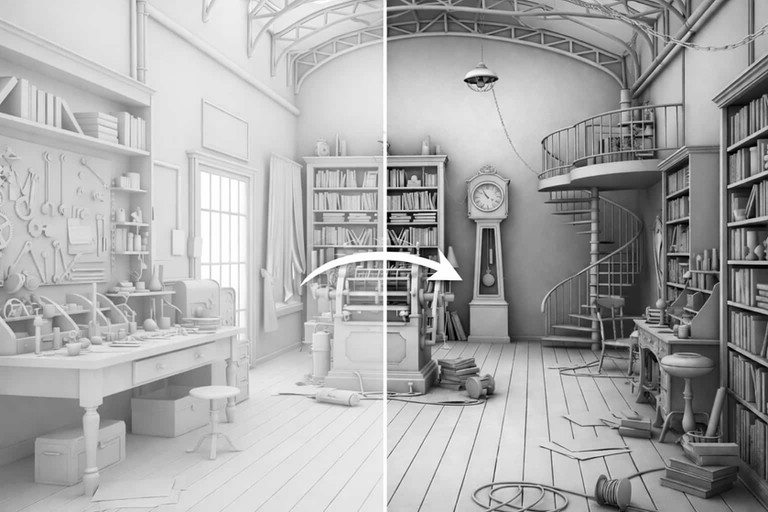
Actualizado el: 19 de febrero de 2026
Lograr claridad de profundidad, separación y legibilidad espacial en una escena 3D a menudo requiere más que solo iluminación. Incluso con luces cuidadosamente posicionadas, las formas arquitectónicas pueden parecer planas o visualmente ambiguas.
Aquí es donde la oclusión ambiental juega un papel de apoyo clave, reforzando áreas de contacto y jerarquía visual, especialmente en condiciones de iluminación simplificada. Al enfatizar sutilmente intersecciones y regiones cerradas, mejora la percepción de las formas sin depender de iluminación físicamente compleja.
Por esta razón, la oclusión ambiental sigue siendo una herramienta ampliamente utilizada en flujos de trabajo de visualización arquitectónica.
En esta guía, explicamos cómo funciona la oclusión ambiental, cómo se usa en flujos de trabajo arquitectónicos y dónde se sitúa en la tubería de renderizado.
¿Qué es la oclusión ambiental?
La oclusión ambiental es una técnica de sombreado que añade profundidad oscureciendo áreas donde las superficies están cerca una de otra, como esquinas, bordes e intersecciones. En lugar de calcular el comportamiento físico de la luz, evalúa cómo la geometría cercana restringe el espacio abierto alrededor de un punto de superficie. Este enfoque ayuda a representar señales de profundidad, regiones de contacto y relaciones espaciales en una escena.
En la práctica, la oclusión ambiental produce valores más oscuros en esquinas, pliegues e intersecciones cerradas donde la geometría circundante limita la exposición. Las áreas con menos obstrucciones reciben valores más claros. Como resultado, las superficies muestran señales de separación más claras incluso en condiciones de iluminación simplificada.
La oclusión ambiental no simula transporte de luz físico ni transferencia de energía. En cambio, proporciona una aproximación geométrica de sombreado indirecto. Por esta razón, a menudo se describe como una aproximación no física pero práctica utilizada para apoyar la interpretación visual.
Debido a que la oclusión ambiental se calcula típicamente como un término de accesibilidad no direccional, su efecto base tiende a mantenerse relativamente estable cuando las condiciones de iluminación cambian. Sin embargo, su influencia visual depende de cómo se combina con la iluminación o el sombreado durante el renderizado.
Cuando se aplica adecuadamente, apoya la percepción de relaciones geométricas sin dominar el modelo de iluminación.

¿Cómo funciona la oclusión ambiental?
La oclusión ambiental funciona evaluando cuánta geometría circundante limita el espacio abierto alrededor de un punto de superficie, en lugar de simular el comportamiento físico de la luz. Este enfoque hace que la profundidad y las áreas de contacto sean más fáciles de interpretar.
El proceso se puede resumir en los siguientes pasos:
Muestrear el hemisferio circundante alrededor de un punto de superficie para evaluar el espacio disponible.
Verificar qué direcciones están bloqueadas por la geometría cercana y cuáles permanecen abiertas.
Calcular un valor de oclusión basado en la relación entre direcciones bloqueadas y desbloqueadas.
Asignar valores más oscuros a áreas altamente cerradas, como esquinas e intersecciones.
Asignar valores más claros a áreas abiertas con menos superficies circundantes.
Como resultado, las esquinas, los pliegues y las uniones aparecen más oscuras porque la geometría limita la exposición en esas regiones. Estas áreas reciben naturalmente menos espacio abierto, lo que aumenta la intensidad de la oclusión.
La oclusión ambiental mide la proximidad geométrica local, no el comportamiento físico de la luz. Se enfoca en el cierre espacial en lugar del transporte de energía. Esta distinción explica por qué sus resultados difieren de la iluminación global mientras que aún apoya la percepción de profundidad.
¿Cómo se utiliza la oclusión ambiental en los flujos de trabajo de renderizado arquitectónico?
Los arquitectos y artistas de visualización utilizan la oclusión ambiental para mejorar la claridad y la estructura. Ayuda a los espectadores a entender cómo se relacionan los elementos arquitectónicos entre sí en el espacio. Esto es especialmente útil en interiores complejos o escenas exteriores densas.
La oclusión ambiental fortalece la legibilidad de la forma y la jerarquía espacial. Los bordes, las juntas y las intersecciones se vuelven más fáciles de identificar. En consecuencia, las escenas parecen más estructuradas y menos visualmente planas.
Se aplica comúnmente durante las etapas tempranas de diseño y renderizado de arcilla. En este punto, los materiales se simplifican y la iluminación es mínima. La oclusión ambiental proporciona profundidad sin ruido visual, lo que respalda las decisiones de diseño tempranas.
Los casos de uso típicos incluyen:
Estudios de concepto y volumetría
Renders de maquetas de arcilla o blancas
Diagramas arquitectónicos
Estudios de detalles y encuentros
Mejora en postproducción
¿Qué es un Mapa de Oclusión Ambiental y Cómo se Utiliza?
Un mapa de oclusión ambiental es una textura en escala de grises que almacena valores de oclusión en una superficie. Las áreas blancas representan exposición abierta, mientras que las áreas más oscuras indican una oclusión más fuerte. Estos valores influyen en el sombreado durante el renderizado o composición.
Los mapas de oclusión ambiental generalmente se crean mediante un proceso llamado baking. El baking calcula la oclusión una vez y la almacena en una textura. Esto mejora el rendimiento porque los cálculos no se repiten durante el renderizado.
Dado que los mapas de oclusión ambiental influyen en el sombreado de la superficie, están estrechamente conectados a flujos de trabajo de renderizado de texturas utilizados en visualización arquitectónica.
Hay dos enfoques comunes:
AO basado en textura aplicado a materiales
AO horneado en mapas de luz utilizados por motores de renderizado
Cada enfoque tiene limitaciones. La oclusión ambiental horneada es estática y no responde a objetos en movimiento. Además, la resolución de textura y la escala afectan fuertemente la precisión, por lo que se requiere una configuración cuidadosa.
Los resultados precisos también dependen de un mapeo UV adecuado, ya que los valores de oclusión se hornean y se almacenan en las coordenadas de la superficie.
¿Cómo se integra la oclusión ambiental en el flujo de renderizado?
La oclusión ambiental se genera frecuentemente como un pase de renderizado separado. Esto permite un control flexible durante la composición. Los artistas pueden ajustar su intensidad sin modificar la iluminación o los materiales.
En flujos de trabajo de composición, la oclusión ambiental se aplica frecuentemente como un pase separado y se mezcla comúnmente utilizando multiplicación u operaciones de oscurecimiento similares. Esto oscurece las áreas de contacto mientras se preserva la información del color base. El control cuidadoso de la intensidad evita el contraste excesivo.
En flujos de trabajo basados en física, la oclusión ambiental modula la respuesta de iluminación indirecta. Interactúa con mapas de albedo, rugosidad y normales de manera controlada. Esto ayuda a mantener la consistencia con modelos de sombreado basados en física.
En este contexto, la oclusión ambiental complementa el renderizado de iluminación al reforzar las áreas de contacto sin aumentar la complejidad de la iluminación.
¿Cuáles son los principales tipos de oclusión ambiental?
Se utilizan diferentes técnicas de oclusión ambiental según los requisitos de rendimiento y los objetivos visuales. Cada método estima la oclusión espacial de una manera diferente. Por lo tanto, elegir el tipo correcto depende del caso de uso previsto.
Oclusión ambiental en espacio de pantalla
La oclusión ambiental en espacio de pantalla calcula la oclusión utilizando datos de profundidad y normales visibles en la pantalla. Opera solo con la información disponible en el fotograma actual. Por esta razón, es rápida y adecuada para la visualización en tiempo real.
Sin embargo, la oclusión ambiental en el espacio de pantalla no puede detectar geometría fuera del campo de vista de la cámara. Esta limitación puede causar oclusión faltante cerca de bordes o elementos delgados. A pesar de esto, sigue siendo ampliamente utilizada debido a su alta eficiencia de rendimiento.
Oclusión Ambiental Trazada por Rayos
La oclusión ambiental trazada por rayos evalúa la oclusión lanzando rayos hacia la geometría de la escena. Mide intersecciones geométricas reales en lugar de depender de datos de pantalla. Como resultado, produce un sombreado espacial más preciso y estable.
Este método funciona bien en opciones modernas de GPU que admiten trazado de rayos por hardware. Se utiliza cada vez más en visualización arquitectónica en tiempo real donde se requiere mayor fidelidad visual.
Oclusión Ambiental Precomputada
La oclusión ambiental precomputada se calcula previamente y se almacena en mapas de textura. Los valores de oclusión se calculan una sola vez y se reutilizan durante el renderizado. Este enfoque proporciona resultados estables y bajo costo en tiempo de ejecución.
Sin embargo, la oclusión ambiental precomputada es estática. No reacciona a objetos en movimiento o geometría cambiante. Por lo tanto, es más adecuada para elementos arquitectónicos estáticos y activos de fondo.
Oclusión Ambiental en Tiempo Real Versus Offline
La oclusión ambiental en tiempo real se enfoca en el rendimiento e interactividad. Incluye métodos basados en pantalla y trazados por rayos utilizados en motores interactivos. Estas técnicas priorizan la velocidad y la capacidad de respuesta.
La oclusión ambiental offline prioriza la precisión y consistencia para renderizados finales. Se utiliza comúnmente en imágenes estáticas de alta calidad o visualización cinemática. Muchos flujos de trabajo combinan ambos enfoques para equilibrar calidad y eficiencia.
Oclusión Ambiental Basada en Horizonte (HBAO / HBAO+)
La Oclusión Ambiental Basada en Horizonte (HBAO) es una variación avanzada de la oclusión ambiental en el espacio de pantalla desarrollada para mejorar la precisión y la definición de bordes. A diferencia de SSAO básico, evalúa la oclusión basada en ángulos de horizonte, lo que hace que el proceso de muestreo sea consciente de la dirección.
Este enfoque produce degradados más suaves y sombras de contacto más estables, especialmente alrededor de bordes y esquinas. HBAO+, una versión optimizada por NVIDIA, mejora el rendimiento y la consistencia visual. Por esta razón, se utiliza comúnmente en canalizaciones de visualización en tiempo real donde se requiere mayor calidad que la SSAO estándar.
Oclusión Ambiental de Alta Definición (HDAO)
La Oclusión Ambiental de Alta Definición (HDAO) es una técnica de oclusión ambiental enfocada en detalles, diseñada originalmente para sombreado de mayor calidad en hardware compatible. Aumenta la densidad de muestreo para capturar detalles de oclusión más finos en comparación con métodos de espacio de pantalla más simples.
Debido a su mayor costo computacional, HDAO es menos común en flujos de trabajo arquitectónicos modernos. Sin embargo, aún aparece en comparativas técnicas y canalizaciones heredadas. Es principalmente relevante como variante de AO orientada al hardware más que como solución de producción ampliamente adoptada.
Oclusión Ambiental Basada en Vóxeles (VXAO)
La Oclusión Ambiental Basada en Vóxeles (VXAO) calcula la oclusión usando una representación voxelizada de la escena. En lugar de depender de información del espacio de pantalla, evalúa relaciones espaciales en una cuadrícula volumétrica. Esto le permite capturar oclusión de geometría fuera de pantalla y oculta.
VXAO proporciona resultados más precisos y estables que los métodos basados en pantalla. Sin embargo, requiere recursos de memoria y computacionales significativos. Debido a este costo, se utiliza principalmente en flujos de trabajo de visualización en tiempo real de alto nivel o experimentales, en lugar de producción arquitectónica estándar.
¿Cómo se compara la Oclusión Ambiental con la Iluminación Global?
La iluminación global simula cómo rebota la luz entre superficies. Modela la iluminación indirecta y la transferencia de energía en una escena. La oclusión ambiental no realiza esta simulación.
En cambio, la oclusión ambiental estima cómo la geometría limita la exposición al espacio circundante. Mejora las sombras de contacto pero no genera interacción de luz real. Por lo tanto, las dos técnicas sirven propósitos diferentes.
Usadas juntas, se complementan entre sí. La iluminación global define el comportamiento general de la iluminación, mientras que la oclusión ambiental refuerza la profundidad local. Esta combinación mejora tanto el realismo como la legibilidad.
En contraste, path tracing se enfoca en simular completamente el comportamiento de la luz indirecta, priorizando la precisión física sobre la aproximación.
En los flujos de trabajo modernos, este equilibrio se extiende a menudo a través de modelos de iluminación con IA que adaptan el comportamiento de la iluminación mientras preservan la claridad espacial.
¿Cuáles son las mejores prácticas para usar oclusión ambiental en arquitectura?
La oclusión ambiental influye en cómo se perciben la profundidad, el contacto y la separación espacial en una escena arquitectónica. No reemplaza la iluminación, pero refuerza sutilmente las relaciones entre superficies, bordes y volúmenes. Para lograr este efecto sin comprometer el realismo o la escala, su uso requiere control cuidadoso y criterio contextual.
Al aplicar oclusión ambiental en visualización arquitectónica, las siguientes consideraciones ayudan a mantener claridad y equilibrio espacial:
Mantén la oclusión ambiental sutil y controlada. El oscurecimiento excesivo puede aplanar materiales, reducir la claridad visual y tergiversar la escala arquitectónica.
Ajusta el radio de oclusión e intensidad al tamaño de la escena. Los espacios grandes se benefician de valores más amplios y suaves, mientras que los detalles finos requieren oclusión más cerrada y localizada.
Evalúa la oclusión ambiental en contexto. Su impacto debe evaluarse junto con la iluminación, los materiales y la distancia de cámara, en lugar de aisladamente.
Enfoca la oclusión en áreas de contacto. Las intersecciones, bordes y uniones se benefician más de las señales de profundidad adicionales y la separación visual.
Evita la aplicación uniforme en todas las superficies. Aplicar oclusión ambiental en todas partes puede debilitar la jerarquía espacial y hacer que las escenas se sientan visualmente comprimidas.
Reduce o desactiva la oclusión ambiental en escenas altamente realistas. Donde la iluminación física e iluminación global ya definen la profundidad, la oclusión adicional puede volverse redundante o distractora.
¿Por qué sigue siendo importante la oclusión ambiental?
La oclusión ambiental continúa apoyando la percepción de profundidad y la claridad visual. Ayuda a comunicar la estructura con claridad, especialmente durante las primeras etapas del diseño. Esto la hace valiosa para la narrativa arquitectónica.
Moderno ray tracing y los flujos de trabajo híbridos aún se benefician de la oclusión controlada. Incluso con iluminación avanzada, la AO sutil mejora la legibilidad. Por lo tanto, sigue siendo una herramienta práctica en la visualización contemporánea.
En conclusión, la oclusión ambiental resuelve un problema visual específico de forma eficiente. Mejora la comprensión sin reemplazar la iluminación física. Cuando se utiliza cuidadosamente, sigue siendo una parte esencial de los flujos de trabajo de renderizado arquitectónico.
Conclusiones clave
La oclusión ambiental estima la exposición geométrica en lugar del comportamiento de la luz física, lo que la convierte en una herramienta perceptual en lugar de un modelo de iluminación físicamente basado.
Mejora la claridad espacial y la percepción de profundidad enfatizando áreas de contacto, bordes y relaciones de superficie.
La oclusión ambiental es especialmente útil en diseño temprano, masas y visualización conceptual, donde la iluminación y los materiales se simplifican intencionalmente.
La técnica funciona evaluando cómo la geometría circundante restringe el espacio abierto, produciendo una oclusión más fuerte en regiones cerradas.
Existen diferentes implementaciones, incluidos métodos de espacio de pantalla, ray-traced, baked y basados en vóxeles, cada uno con compensaciones distintas de precisión y rendimiento.
La oclusión ambiental no reemplaza la iluminación global y debe utilizarse como una capa de apoyo junto con la iluminación físicamente basada.
Cuando se aplica sutilmente, la oclusión ambiental mejora la legibilidad y la estructura sin abrumar el comportamiento de iluminación realista.
Preguntas frecuentes
¿Cuál es la diferencia entre realismo de iluminación y claridad espacial?
El realismo de iluminación se refiere a la precisión con que se simulan el transporte de luz, la reflexión y el comportamiento energético en una escena. La claridad espacial, en cambio, describe cuán claramente se pueden percibir las relaciones geométricas como bordes, intersecciones y límites de superficie. La oclusión ambiental contribuye principalmente a la claridad espacial reforzando las áreas de contacto, en lugar de mejorar la precisión de la iluminación física.
¿Por qué la oclusión ambiental se describe a menudo como una herramienta para el realismo percibido?
La oclusión ambiental no modela procesos de iluminación del mundo real. En cambio, refuerza señales visuales asociadas con la profundidad y el confinamiento, como regiones más oscuras en las esquinas o espacios cerrados. Dado que estas señales se alinean con la percepción humana, la escena puede parecer más realista aunque el efecto en sí no sea físicamente preciso. Por esta razón, la oclusión ambiental se describe comúnmente como que respalda el realismo percibido en lugar del realismo físico.
¿Es la oclusión ambiental un sustituto para la iluminación real o la iluminación global?
No. La oclusión ambiental no reemplaza las fuentes de luz ni la iluminación global. No simula el transporte de luz, el rebote indirecto ni la conservación de energía. En cambio, funciona como un componente de apoyo que mejora las señales de profundidad local. En la práctica, la iluminación global define el comportamiento general de la iluminación, mientras que la oclusión ambiental refina la forma en que las superficies relacionadas se separan visualmente entre sí.
¿Por qué la oclusión ambiental es útil en las primeras etapas del diseño y la visualización de conceptos?
Durante las primeras etapas del diseño, los materiales suelen ser neutros y las configuraciones de iluminación intencionalmente simples. En estas condiciones, puede ser difícil leer la forma, la proporción y la jerarquía espacial. La oclusión ambiental ayuda a aclarar estas relaciones enfatizando las zonas de contacto y los límites geométricos. Esto la hace especialmente útil para estudios de volumen, visuales de conceptos y revisiones de diseño temprano.
¿Por qué los métodos de oclusión ambiental en espacio de pantalla fallan cerca de los bordes o geometría delgada?
La oclusión ambiental en espacio de pantalla se basa únicamente en información disponible en la imagen renderizada, como buffers de profundidad y normales. La geometría que se encuentra fuera de la vista de la cámara o detrás de otros objetos no puede evaluarse. Como resultado, la oclusión puede desaparecer o comportarse de manera inconsistente cerca de los bordes de la pantalla o a lo largo de elementos delgados. Esta limitación es inherente a los enfoques en espacio de pantalla.
¿Por qué la oclusión ambiental debe aplicarse con cautela en renderizado fotorrealista?
En los flujos de trabajo de renderizado basado en la física, las señales de profundidad ya emergen de la iluminación precisa, las sombras y la iluminación indirecta. Aplicar una oclusión ambiental fuerte encima de estos efectos puede oscurecer excesivamente las áreas de contacto y distorsionar la escala percibida. Por esta razón, la oclusión ambiental se usa típicamente de manera sutil o se reduce en escenas fotorrealistas para evitar superponer el modelo de iluminación.
¿Cómo interactúa la oclusión ambiental con la iluminación durante el renderizado?
La oclusión ambiental se calcula independientemente de la dirección de la luz, lo que significa que sus valores crudos no dependen de la posición o intensidad de la luz. Sin embargo, su efecto visual depende de cómo se combine con la iluminación durante el sombreado o la composición. A menudo se multiplica con componentes indirectos o difusos, por lo que los cambios en la iluminación pueden influir en la intensidad con que aparece la oclusión en la imagen final.