Aggiornato il: 29 gennaio 2026
Progettare uno spazio non inizia più con schizzi statici o supposizioni incerte. Oggi, gli strumenti digitali ti permettono di testare idee, esplorare stili e definire layout visivamente prima di apportare un qualsiasi cambiamento nel mondo reale. Questo ha completamente trasformato il modo in cui le persone affrontano il design d'interni.
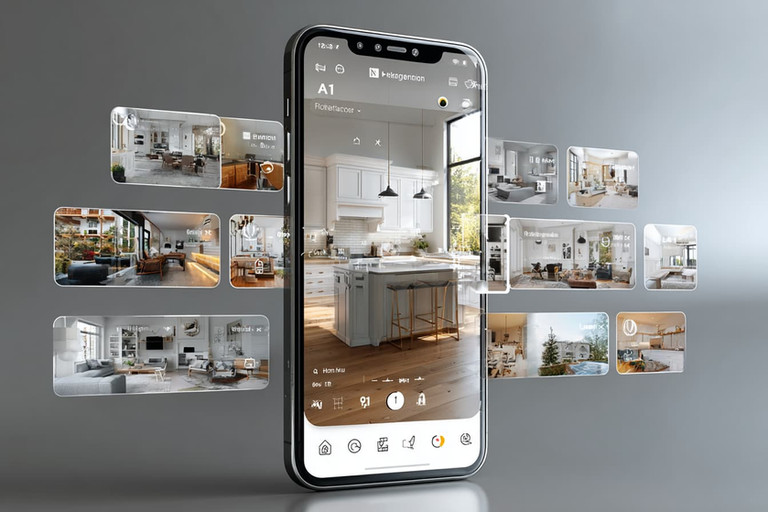
Con la giusta app di design d'interni, chiunque può sperimentare layout, materiali e illuminazione, perfezionando le idee velocemente e con sicurezza. Questi strumenti rendono più facile vedere come uno spazio apparirà e si sentirà molto prima che qualcosa sia costruito.
In questa guida, esplorerai i vantaggi dell'utilizzo di app di design d'interni e scoprirai i migliori strumenti disponibili oggi. Confronteremo le piattaforme leader, evidenzieremo i loro punti di forza e ti aiuteremo a decidere quale soluzione si adatta meglio alle tue esigenze.
Che cos'è un'app di design d'interni?
Un'app di design d'interni è uno strumento digitale che aiuta gli utenti a pianificare, progettare e visualizzare gli spazi interni prima di apportare cambiamenti reali. Queste app ti permettono di creare planimetrie, disporre i mobili, scegliere materiali e colori, e vedere come tutto si combina insieme in 2D o 3D.
Le app di design d'interni sono utilizzate da proprietari di case, designer d'interni e architetti per sperimentare layout, testare idee e prendere decisioni di design consapevoli.
Molte app moderne includono illuminazione realistica, rendering e funzionalità AR, rendendo più facile comprendere come uno spazio si sentirà nella vita reale.
Vantaggi delle app di design d'interni
Le app di design d'interni rendono molto più facile trasformare le idee in piani chiari e visivi. Invece di indovinare come potrebbe apparire uno spazio, puoi vedere layout, mobili, colori e materiali combinarsi sullo schermo prima di apportare qualsiasi cambiamento reale. Questo da solo aiuta a evitare molti errori di design comuni.
Un altro grande vantaggio è la possibilità di sperimentare liberamente. Puoi provare diversi layout, scambiare mobili, testare palette di colori o regolare l'illuminazione in pochi minuti. Poiché tutto accade digitalmente, non c'è rischio e nessun costo aggiuntivo mentre esplori diverse opzioni di design.
Queste app aiutano anche a risparmiare tempo e denaro. Pianificando i dettagli in anticipo, riduci le possibilità di acquistare mobili sbagliati, scegliere materiali inadatti o aver bisogno di modifiche durante la ristrutturazione. I piani visivi chiari facilitano anche la comunicazione quando lavori con appaltatori o designer.
Le app di design d'interni sono particolarmente utili per prendere decisioni consapevoli. Vedere anteprime realistiche ti aiuta a comprendere le proporzioni, la scala e il flusso, in modo che le tue scelte si sentano informate piuttosto che incerte.
Soprattutto, le app di interior design rendono la progettazione più accessibile. Che tu sia un proprietario che pianifica una singola stanza o un professionista che lavora su progetti completi, offrono un modo intuitivo per progettare, visualizzare e perfezionare gli spazi senza bisogno di strumenti tecnici complessi.
Migliori App di Interior Design (2026)
1. Live Home 3D (Mac • Windows • iOS • Android)

Cosa fa?
Live Home 3D è un'applicazione potente e facile da usare per la progettazione di case e interni che consente agli utenti di creare piante di pavimento accurate in 2D e trasformarle in spazi 3D realistici. Supporta l'intero processo di progettazione dal layout iniziale alla visualizzazione dettagliata degli interni e degli esterni.
Il software è adatto per architetti, designer di interni e proprietari di case che vogliono pianificare, visualizzare e sperimentare gli spazi prima che vengano costruiti. Con illuminazione realistica, modellazione del terreno e tour interattivi, i progetti risultano spaziali e immersivi anziché puramente tecnici.
Caratteristiche principali
Lavora in modalità 2D e 3D nello stesso progetto per una completa visualizzazione architettonica
Crea piante di pavimento dettagliate con anteprime 3D istantanee
Accedi a una vasta libreria di mobili, oggetti e materiali
Progetta terreno, paesaggi e spazi esterni
Configura tipologie avanzate di tetti e muri
Utilizza motori di rendering con illuminazione realistica, ombre e effetti sofisticati
Esplora i progetti con tour 3D e anteprima AR
Funziona perfettamente su macOS, Windows, iOS, Android e visionOS
Prezzi (2026)
Versione gratuita disponibile
Standard: $5.99/mese o $19.99/anno
Pro: $14.99/mese o $39.99/anno
Licenza a vita: $49.99 (Standard), $99.99 (Pro)
Ideale per
Architetti, designer di interni e proprietari di case che desiderano creare progetti abitativi completi e visualizzarli con dettagli realistici prima di costruire o ristrutturare.
2. Homestyler (Web • iOS • Android)

Cosa fa?
Homestyler è una piattaforma di progettazione d'interni 3D online che ti consente di creare planimetrie, arredare gli ambienti e sperimentare layout e combinazioni di colori direttamente nel tuo browser o su dispositivi mobili. Poiché è completamente basata su cloud, non è necessario installare software pesante e i tuoi progetti sono accessibili da qualunque luogo.
Il flusso di lavoro intuitivo con drag and drop rende Homestyler particolarmente facile per i principianti, che possono iniziare a progettare subito. Allo stesso tempo, la piattaforma offre una profondità sufficiente a supportare una pianificazione degli interni più dettagliata.
Gli utenti più avanzati traggono vantaggio da un'ampia libreria di marchi di arredamento reali, opzioni di illuminazione realistica e strumenti di anteprima AR. Insieme, queste funzioni rendono Homestyler un modo veloce e visuale per esplorare idee di design senza una curva di apprendimento ripida.
Caratteristiche principali
Conversione AI con un solo clic che trasforma piante 2D o schizzi disegnati a mano in modelli 3D di abitazioni completamente modificabili
Strumenti intuitivi di progettazione 3D e pianificazione spaziale che rendono la creazione di layout veloce e semplice
Arredamento drag and drop con accesso a oltre 10 milioni di modelli 3D di arredamento e decorazioni realistici e branded
Più di un milione di modelli di arredamento reali che aiutano i progetti a corrispondere più fedelmente ai prodotti del mondo reale
Rendering cloud integrato che produce visivi ad alta qualità e fotorealistici senza dipendere dalla potenza dell'hardware locale
Rendering realistico con opzioni di illuminazione regolabili per comprendere meglio materiali e colori
Un flusso di lavoro chiaro e guidato che ti accompagna attraverso disegno, decorazione e visualizzazione in un unico processo fluido
Più di 500 template già pronti che coprono gli stili di interior design più popolari per aiutarti a iniziare più velocemente
Ricchi pacchetti di modelli 3D per interni, esterni, arredamento, illuminazione e dettagli decorativi
Modalità AR per anteprima dei progetti direttamente negli spazi reali e comprensione della scala e del posizionamento
Configurazione basata su web e mobile friendly senza necessità di installazione di software pesante
Percorsi di apprendimento personalizzati progettati per aiutare gli utenti a crescere da principianti a designer più avanzati
Sfide progettuali settimanali e una comunità globale attiva per ispirazione, feedback e sviluppo delle competenze
Funzioni di condivisione nella comunità e un feed di ispirazione per esplorare e mostrare progetti in tendenza in tutto il mondo
Prezzi (2026)
Piano gratuito con strumenti limitati
Pro: da $4.90/mese
Master: da $9.90/mese
Team: da $19.60/utente/mese
Ideale per
Principianti, appassionati di design e decoratori freelance alla ricerca di un'esperienza progettuale rapida e visivamente coinvolgente.
3. SketchUp (Web • iPad • Windows • macOS)

Cosa fa?
SketchUp è uno strumento di modellazione 3D facile da usare ma potente per architetti, interior designer e costruttori. Aiuta a trasformare le idee in modelli 3D chiari, facili da comprendere, condividere e comunicare.
Il software supporta l'intero processo di progettazione, dai primi schizzi alle presentazioni dettagliate e alla documentazione pronta per la costruzione. I suoi strumenti intuitivi rendono semplice esplorare le idee rapidamente, mentre le funzioni avanzate garantiscono una precisione di livello professionale.
Con un ricco ecosistema di estensioni e forti capacità di documentazione, SketchUp si adatta facilmente sia allo sviluppo rapido di concetti che a flussi di lavoro più complessi e orientati alla produzione.
Caratteristiche principali
Strumenti di modellazione 3D facili e intuitivi per interni, arredamento e layout architettonici
Potenti capacità di modellazione 3D adatte sia a concetti rapidi che a progetti dettagliati
Marketplace di plugin ed estensioni per espandere le funzionalità e personalizzare i flussi di lavoro
Strumenti LayOut per creare disegni 2D, documentazione e layout di presentazione
Collaborazione nel cloud e condivisione di file tramite Trimble Connect
Flusso di lavoro multipiattaforma su desktop, web e iPad
Enorme libreria di modelli online tramite 3D Warehouse con milioni di modelli 3D pronti all'uso
Strumenti di presentazione inclusi scene, tour virtuale e animazioni di base
Flusso di lavoro flessibile che supporta sia l'esplorazione rapida del design che il lavoro di produzione professionale
Prezzi (2026)
SketchUp Go: $119/anno
SketchUp Pro: $349/anno
SketchUp Studio: $749/anno
Ideale per
Progettisti professionisti, architetti e studi che necessitano di modellazione 3D dettagliata, strumenti di documentazione robusti, integrazioni flessibili e flussi di lavoro collaborativi dalla concezione alla costruzione.
4. Houzz Pro (Web • iOS • Android)

Cosa fa?
Houzz Pro è una piattaforma all-in-one che combina l'ispirazione progettuale con strumenti di gestione clienti e aziendali per interior designer e contraenti. Consente ai professionisti di gestire progetti, comunicare con i clienti e affrontare le operazioni quotidiane da un unico sistema.
Oltre alla gestione dei progetti, Houzz Pro supporta il lato aziendale del design con strumenti integrati per preventivi, fatturazione e tracciamento dei clienti. Questo aiuta i team a restare organizzati mentre i progetti procedono senza intoppi.
Houzz Pro funziona anche come hub di marketing e networking, consentendo ai designer di mostrare i loro portfolio, attirare nuovi clienti, reperire prodotti e utilizzare strumenti AR per supportare presentazioni e decisioni.
Caratteristiche principali
Massiva galleria di ispirazione progettuale alimentata dalla piattaforma Houzz
Strumenti di planimetria 3D e funzionalità AR per visualizzare prodotti negli spazi reali
CRM integrato per gestire lead, clienti e progetti in corso
Strumenti di preventivi, stime, contratti e fatturazione in un unico sistema
Mood board e strumenti di sourcing di prodotti per le presentazioni ai clienti
Funzionalità di marketing e networking professionale per aumentare la visibilità e attirare clienti
Supporto app mobile per gestire i progetti in movimento
Prezzi (2026)
Piano Essential: $149/mese
Piano Pro: $249/mese
Livelli Premium e Ultimate disponibili
Ideale per
Interior designer, appaltatori e studi di design che desiderano gestire clienti, progetti, marketing e operazioni aziendali all'interno di un'unica piattaforma integrata.
5. RoomSketcher (Windows • macOS • iPad • Web)
Cosa fa?
RoomSketcher aiuta gli utenti a disegnare planimetrie, arredare stanze e visualizzarle in 3D con rendering fotorealistici. È popolare tra agenti immobiliari e designer per creare rapidamente layout professionali e tour virtuali.
Caratteristiche principali
Generatore di planimetrie 2D e 3D con trascinamento
Viste a 360° e modalità Live 3D
Render ad alta risoluzione
Esportazioni marchiate e servizio di ridisegno
Archiviazione cloud per i progetti
Prezzi (2026)
Versione gratuita
Pro: $144/year
Team: $420/year
Ideale per
Progettisti e agenti immobiliari che necessitano di planimetrie rapide, raffinate e adatte ai clienti.
6. Planner 5D (Web • iOS • Android)

Cosa fa?
Planner 5D è un'app di home design basata su intelligenza artificiale che consente agli utenti di creare planimetrie, arredare spazi e visualizzare interni in 2D e 3D. Il suo Smart Wizard AI suggerisce layout, materiali e arredamento automaticamente. Perfetto per principianti e professionisti che cercano uno sviluppo concettuale veloce.
Caratteristiche principali
Progettazione e generazione di layout assistite da AI
Catalogo esteso di mobili e arredi
Modalità VR per l'esplorazione immersiva
Capacità di rendering in 4K
Interfaccia intuitiva e user-friendly per principianti
Prezzi (2026)
Piano base gratuito
Premium: $4.99/mese
Professional: $33.33/mese
Ideale per
Principianti, proprietari di abitazioni e designer che desiderano layout assistiti da AI e visualizzazioni architettoniche rapide.
7. Magicplan (iOS • Android • Web)

Cosa fa?
Magicplan semplifica la creazione di planimetrie tramite scansione in realtà aumentata. Utilizzando la fotocamera del tuo telefono, genera dimensioni accurate della stanza, planimetrie e persino stime di costi. Perfetto per ristrutturatori, appaltatori e progettisti che necessitano di misurazioni e rapporti affidabili.
Caratteristiche principali
Scansione basata su AR per la generazione automatica di planimetrie
Strumenti di misurazione e annotazione
Formati di esportazione 2D e 3D (PDF, DXF, IFC)
Stima dei costi e documentazione del progetto
Integrazione con software di costruzione diffusi
Prezzi (2026)
Gratuito fino a 2 progetti
$25/progetto (piano 24 mesi)
$30/progetto (piano 12 mesi)
$40/progetto (piano mensile)
Ideale per
Appaltatori, renovatori e progettisti che necessitano di misurazioni precise in loco e documentazione dei costi.
8. Home AI (iOS • Android)

Cosa fa?
Home AI genera concetti di design d'interni utilizzando l'intelligenza artificiale. Carica una foto della stanza, seleziona uno stile e l'app crea splendidi redesign fotorealistici in pochi secondi. È uno strumento veloce e conveniente per visualizzare nuovi look prima della ristrutturazione.
Caratteristiche principali
Stili di design d'interni generati dall'IA
Trasformazioni realistiche degli ambienti
Molteplici categorie di stile
Opzioni di rendering e esportazione rapide
Prezzi (2026)
Piano gratuito con rendering limitati
Pro settimanale: $9.99
Pro annuale: $29.99-$39.99
Accesso a vita: $49.99
Ideale per
Proprietari di casa e creator di contenuti che esplorano nuovi stili con visualizzazione basata su AI.
9. HomeByMe (Web)

Cosa fa?
HomeByMe è un'app di progettazione 3D online che aiuta gli utenti a disegnare planimetrie, arredare spazi e visualizzare interni con illuminazione realistica e texture. È completamente basata su browser, offrendo un'esperienza senza installazioni.
Caratteristiche principali
Interfaccia di design 2D/3D intuitiva
Rendering e texture realistici
Catalogo di mobili e collezioni di arredamento
"Disegna per me" servizio professionale
Condivisione e collaborazione dei progetti
Prezzi (2026)
Piano Starter gratuito
Crediti di design premium da $10-$65/progetto
Ideale per
Proprietari di case, freelancer e interior designer in cerca di una piattaforma di web design facile da usare con visualizzazione realistica.
10. Adobe Capture (iOS • Android)

Cosa fa?
Adobe Capture trasforma le ispirazioni del mondo reale in risorse di design digitali. Puoi estrarre tavolozze di colori, texture e forme dal tuo ambiente e utilizzarle in Photoshop, Illustrator o altri strumenti di Adobe Creative Cloud.
Caratteristiche principali
Estrai tavolozze di colori da spazi reali
Converti texture e forme in risorse digitali
Strumenti di creazione di pattern e vettori
Sincronizzazione con Adobe Creative Cloud
Prezzi (2026)
App gratuita
Funziona al meglio con piani Adobe Creative Cloud ($9.99-$52.99/mese)
Ideale per
Progettisti e artisti che raccolgono ispirazione dal mondo reale e desiderano digitalizzarla per uso professionale.
11. ArchiVinci AI (Web e Web Mobile)

Cosa fa?
ArchiVinci AI è una piattaforma avanzata basata su browser per il design d'interni con IA che crea rendering fotorealistici direttamente da foto, schizzi o planimetrie, senza richiedere download o installazioni. È completamente ottimizzata per il web desktop e mobile, consentendo ai progettisti, ai professionisti immobiliari e ai proprietari di casa di creare straordinari rendering d'interni su qualsiasi dispositivo.
Che tu stia utilizzando un laptop, un tablet o uno smartphone, l'interfaccia responsive della piattaforma si adatta automaticamente alle dimensioni dello schermo per una creazione di design senza interruzioni. Gli utenti possono caricare una foto della stanza, selezionare uno stile di design preferito e ricevere molteplici risultati ultra-realistici in pochi minuti. ArchiVinci AI supporta anche il rendering batch, rendendolo ideale per i professionisti che hanno bisogno di generare molti design di stanze o immagini di staging rapidamente.
Il motore di rendering della piattaforma simula l'illuminazione con IA in modo naturale, i materiali e la profondità spaziale, producendo risultati paragonabili a quelli del software di rendering 3D professionale, ma in una frazione del tempo e del costo.
Caratteristiche principali
Rendering potenziato da IA da foto, schizzi o planimetrie
Funziona perfettamente su browser web desktop e mobile
Immagini fotorealistiche con illuminazione realistica e texture materiali
Opzioni di staging virtuale per il marketing immobiliare
Variazioni automatiche dello stile architettonico (moderno, scandinavo, minimalista, ecc.)
Supporto del rendering batch per più stanze o progetti
Uscita veloce, la maggior parte dei render completati in meno di un minuto
Prezzi (2026)
Accesso 3 giorni: $39
Piano mensile: $79
Piano 3 mesi: $239
Piano 6 mesi: $449
Piano annuale: $699
Ideale per
Architetti, interior designer e professionisti immobiliare che necessitano di render veloci e di alta qualità e virtual staging che funzionano senza difficoltà sia su desktop che su web mobile.
Tipo di utente | App consigliate |
|---|---|
Principianti / Studenti | Homestyler, Planner 5D, HomeByMe |
Progettisti Professionisti / Studi | SketchUp Pro, Live Home 3D Pro, RoomSketcher Team |
Agenti Immobiliari / Allestitori | RoomSketcher, ArchiVinci AI |
Team di Ristrutturazione / Imprese Edili | Magicplan |
Style Hunters / Influencer | Home AI, Adobe Capture |
Le app di interior design sono oggi più intelligenti, veloci e creative che mai. Dai generatori di design alimentati da intelligenza artificiale agli strumenti professionali di modellazione 3D, queste app rendono facile per chiunque visualizzare, pianificare e arredare spazi bellissimi. Che tu sia un progettista professionista o un proprietario di casa con grandi idee, il software di interior design odierno trasforma l'ispirazione in realtà, direttamente dal tuo telefono o laptop.
Domande frequenti
Posso usare le app di interior design senza alcuna esperienza di design?
Sì! Molte app moderne di interior design come Homestyler, Planner 5D e Live Home 3D sono costruite per principianti. Utilizzano strumenti drag-and-drop e assistenza AI per rendere facile layout e decorazione, anche se non hai mai disegnato una planimetria prima.
Queste app funzionano su dispositivi mobili o tablet?
Assolutamente. La maggior parte delle app, incluse HomeByMe, Planner 5D sono ottimizzate sia per browser web desktop che mobile. Alcune hanno anche app dedicate per iOS e Android, permettendoti di progettare e visualizzare stanze in qualsiasi momento e luogo.
ArchiVinci AI può sostituire il software di rendering professionale?
Sebbene ArchiVinci AI produca risultati straordinariamente realistici utilizzando l'intelligenza artificiale, non è un sostituto completo per software 3D di fascia alta come SketchUp o Blender. Tuttavia, è ideale per professionisti che hanno bisogno di render veloci e di alta qualità o allestimenti virtuali senza lunghi tempi di rendering o hardware costoso.
Quanto sono sicuri i miei progetti e i caricamenti su queste piattaforme?
La maggior parte delle app di design importanti, incluse Houzz Pro e RoomSketcher, utilizza archiviazione basata su cloud con server crittografati. Tuttavia, leggi sempre l'informativa sulla privacy ed evita di caricare dati sensibili dei clienti se la piattaforma non offre sicurezza a livello aziendale.
L'intelligenza artificiale riesce davvero a comprendere il mio stile di design personale?
Sì, in misura impressionante. Strumenti come Home AI e ArchiVinci AI analizzano le tue foto caricate e generano automaticamente ambienti che riflettono l'estetica scelta, che sia moderna, scandinava o minimalista. Nel tempo, gli algoritmi di rendering AI stanno migliorando nell'adattarsi alle preferenze personali.
Le app di interior design basate su AI producono misurazioni accurate degli ambienti?
La maggior parte delle app di design basate su AI si concentra sulla stilizzazione visiva piuttosto che sulla precisione tecnica. Tuttavia, alcuni strumenti come Magicplan e Live Home 3D forniscono misurazioni altamente precise utilizzando la realtà aumentata o l'input manuale. Strumenti come ArchiVinci AI generano layout visivi realistici basati sulla tua foto caricata o sulla planimetria, ma sono destinati alla visualizzazione concettuale, non alla precisione costruttiva.
Quale strumento è migliore per gli agenti immobiliari o gli elenchi di proprietà?
Per l'allestimento virtuale e le trasformazioni visive rapide, ArchiVinci AI e RoomSketcher sono le scelte principali. ArchiVinci AI è uno strumento web potente che aiuta gli agenti immobiliari a generare immagini interne realistiche in pochi secondi, permettendo loro di mostrare proprietà vuote in vari stili. Nel frattempo, RoomSketcher offre planimetrie facili da trascinare e rilasciare e tour 3D, aiutando gli agenti a presentare gli annunci in modo più attraente e a aumentare il coinvolgimento degli acquirenti.