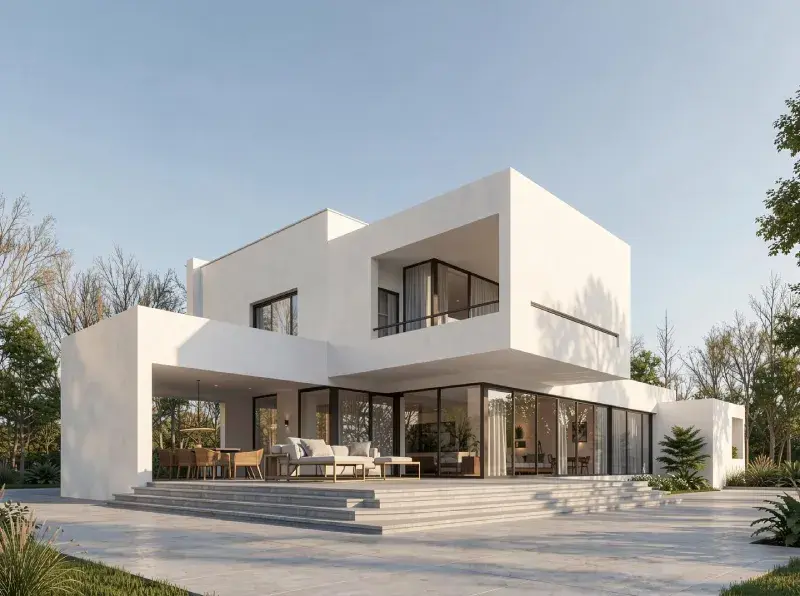
AI-Powered Blender Alternative for Rendering: ArchiVinci
ArchiVinci enables architects to visualize ideas instantly through AI-powered rendering, while Blender positions rendering as a precise, production-focused stage within a traditional 3D workflow.
Trusted by 800K+ architects and designers worldwide
Used by architectural studios, interior designers, real estate teams, and design enthusiasts across the globe.
ArchiVinci vs Blender: Architectural Rendering Workflows Compared
Architectural visualization tools are evolving rapidly as AI-driven platforms and traditional 3D software begin to serve fundamentally different roles in the design process.
When comparing ArchiVinci vs Blender, the key distinction is not visual quality, but workflow intent, timing, and technical overhead.
Both tools are capable of producing compelling visuals, yet they are optimized for very different stages of architectural design.
Why Teams Choose ArchiVinci over Blender?
Built for AI-First Rendering
ArchiVinci is AI-native and optimized for speed and iteration, while Blender rendering relies on physically based engines designed for accuracy and final output.
This makes ArchiVinci better suited for fast design workflows, while Blender excels in production-focused pipelines.


Instant Renders, No Scene Setup
ArchiVinci renders directly from sketches, screenshots, photos, or plans.
Blender rendering requires fully prepared 3D scenes with geometry, materials, lighting, and cameras.
This removes the need for time-consuming scene construction in early design phases.
No Hardware Constraints
ArchiVinci removes GPU and workstation dependency through cloud rendering.
Blender rendering performance scales with local hardware investment.
Teams can render consistently without upgrading machines or managing render resources.


Faster Iteration Cycles
ArchiVinci produces presentation-ready alternatives instantly. ArchiVinci generates multiple visual variations in seconds.
Blender rendering prioritizes refinement, making iteration slower and sequential.
This enables broader exploration before committing to a final direction. Blender rendering focuses on single, high-fidelity renders per iteration.
Client feedback cycles become shorter and more efficient.
Lower Barrier to Entry
ArchiVinci works entirely in the browser with a minimal learning curve.
Blender rendering requires 3D and rendering expertise to operate effectively.
This allows non-technical users to produce high-quality visuals quickly.


Design-Stage Alignment
ArchiVinci supports early and mid-stage design exploration.
Blender rendering is typically used once designs are finalized.
Each tool aligns with a different moment in the architectural workflow.
Agility vs Control
ArchiVinci enables rapid visual decision-making.
Blender rendering focuses on detailed technical accuracy.
Speed and flexibility are prioritized over deep parameter control.


Design Anywhere
ArchiVinci works on any device, anywhere.
Blender rendering is tied to desktop workstation environments.
This makes ArchiVinci easier to use across teams and locations.
Try ArchiVinci AI for free, a fast and simple alternative to Twinmotion for architectural renderings.
Our Impact in Architecture & Design
5M+
RENDERED IMAGES
Over 5 million high-quality architectural renders created with ArchiVinci AI.
24/7
CUSTOMER SUPPORT
Our dedicated support team is always available to assist you, no matter your time zone, ensuring you have the help on time.
800,000+
USERS
A growing global community of architects, interior designers, real estate agents, and design enthusiasts
85%
TIME SAVED IN RENDERING
By eliminating the need for complex 3D modeling and manual rendering.
165+
COUNTRIES
Serving clients worldwide, ArchiVinci has made an impact in over 165 countries, adapting to diverse design styles.
98%
CUSTOMER SATISFACTION
We take pride in delivering results our users love, based on global customer feedback.
ArchiVinci vs Blender Rendering Workflow: Cloud AI vs Local 3D Pipelines
Core Positioning
Architectural Focus
Rendering Approach
Modeling Requirement
Learning Curve
Time to First Render (including setup)
Iteration Speed
Hardware Dependency
AI Assistance
Best Strength
ArchiVinci AI
AI-native architectural rendering platform
Architecture-first (interior, exterior, masterplan)
AI-driven, image & prompt-based
Not required
Very low
Seconds
Instant multi-variation generation, fast experimentation
Cloud-based, no GPU needed, browser-based
Core workflow
Speed, accessibility, ideation
Blender
Full-stack, open-source 3D creation suite
General-purpose (architecture is one of many use cases)
Physically-based ray tracing (Cycles / Eevee)
Mandatory (modeling, materials, lights, cameras)
High (geometry, shading, lighting, optimization)
Hours
Manual adjustments per iteration, technical exploration
Strongly dependent on local GPU/CPU, desktop application required
Limited / external add-ons
Precision, control, versatility
Ready to Revolutionize Your Workflow?
Add ArchiVinci to your workflow and unlock faster iteration, clearer visuals, and quicker design decisions.
How Do AI-Driven and Manual Rendering Workflows Differ in Architecture?
ArchiVinci is an AI-native architectural rendering platform built for rapid visualization, fast iteration, and early design validation. It allows architects to move from design intent to visual output almost instantly, supporting creative exploration and quick comparison of alternatives without the overhead of traditional 3D production steps.
Blender, in contrast, is a comprehensive open-source 3D creation suite designed for full control over the production pipeline. Its rendering workflows are based on physically accurate engines such as Cycles and Eevee, which are optimized for precision, realism, and consistency in fully developed scenes. This makes Blender better suited for detailed, production-oriented workflows where technical accuracy and fine-grained control are essential.
From an architectural workflow perspective, ArchiVinci primarily accelerates design thinking, iteration, and decision-making, while Blender supports execution, refinement, and technical precision once design decisions are already established.
Input Requirements for Rendering
One of the most significant differences in the ArchiVinci vs Blender comparison lies in input requirements.
ArchiVinci works with image-based inputs, including hand sketches, CAD exports, screenshots from 3D models, reference images, and moodboards. Its AI architecture rendering engine interprets spatial geometry, scale, and perspective automatically, allowing architects to move directly from idea to visual output.
Blender requires explicit geometry construction. Every object must be modeled, unwrapped, textured, shaded, and lit before rendering can begin. While this provides unmatched technical control, it introduces substantial setup time and demands advanced 3D expertise.
For architects focused on fast design iteration rather than full 3D asset creation, this difference is critical.
When Should Architects Use ArchiVinci or Blender?
Visualization serves different purposes at different moments in the architectural design process. In the early and mid stages, it acts as a tool for exploration, helping architects test ideas, compare alternatives, and communicate intent quickly.
ArchiVinci is most effective during:
Concept design
Schematic design
Design option comparison
Client presentations
Early marketing visuals
Blender becomes more relevant when:
Design decisions are finalized
Detailed geometry is required
Asset reuse or animation is needed
Full production control is necessary
Hardware Dependency and Accessibility
ArchiVinci operates entirely in the cloud, making it hardware-independent. Architects can generate renders on any device, from anywhere, without performance limitations tied to local CPUs or GPUs.
Blender’s performance scales directly with hardware. High-quality rendering requires powerful GPUs, sufficient VRAM, and optimized system configurations, which can increase cost and limit mobility. For distributed teams, remote collaboration, and fast-paced design environments, this difference strongly favors AI-based rendering platforms.
Choosing Between ArchiVinci and Blender
When evaluating ArchiVinci vs Blender, the real question is not “which tool is better,” but which tool fits the current design intent.
Choose ArchiVinci when speed, iteration, and visual clarity are critical.
Choose Blender when technical accuracy, detailed modeling, and full production control are required.
Used together, ArchiVinci accelerates early architectural thinking, while Blender delivers depth and precision at the execution stage, reflecting how contemporary architecture increasingly integrates AI with traditional 3D workflows.
Frequently Asked Questions: ArchiVinci vs Blender
Can ArchiVinci be used alongside Blender in the same project?
Yes. Many architectural teams use ArchiVinci during early visualization and design alignment, then transition to Blender later for detailed 3D production and final assets. The tools serve different moments in the workflow and can complement each other without overlap.
Does using ArchiVinci limit creative control compared to Blender?
ArchiVinci prioritizes speed and visual direction over low-level technical control. While Blender allows full control at the geometry, shader, and lighting level, ArchiVinci enables architects to guide outcomes through design intent, references, and iteration rather than manual configuration.
How does ArchiVinci affect project timelines compared to Blender?
By removing manual setup and reducing iteration time, ArchiVinci can significantly shorten early visualization cycles. This often leads to faster approvals and fewer revisions later in the production phase.
Is Blender still necessary if a team uses ArchiVinci?
For projects that require detailed modeling, animation, asset reuse, or production-grade accuracy, Blender remains essential. ArchiVinci does not aim to replace full 3D creation tools but to reduce friction before those tools are needed.
Which tool is more suitable for non-technical architects?
ArchiVinci. Its browser-based interface and AI-driven workflow make it accessible to architects who want high-quality visuals without deep 3D or rendering expertise.
Does ArchiVinci support collaborative or remote workflows?
Yes. Because ArchiVinci runs entirely in the browser and the cloud, it supports location-independent work and easy sharing across distributed teams.
How does ArchiVinci compare to Blender in terms of scalability?
ArchiVinci scales through cloud infrastructure rather than local hardware, making it easier to maintain consistent performance across teams. Blender scalability depends on individual workstation capabilities and system optimization.
What is the main strategic difference between ArchiVinci and Blender?
The main difference is timing. ArchiVinci is designed to accelerate exploration and decision-making early in the design process, while Blender is designed to execute and refine decisions once they are finalized.