
AI-Powered 3ds Max Alternative for Rendering: ArchiVinci
While Autodesk 3ds Max is widely used for professional 3D modeling and rendering, ArchiVinci provides a faster, AI-driven alternative built for rapid visualization and early design exploration.
Trusted by 800K+ architects and designers worldwide
Used by architectural studios, interior designers, real estate teams, and design enthusiasts across the globe.
ArchiVinci vs 3ds Max for Architectural Visualization
Architectural visualization tools serve different roles depending on the design phase and project needs. Choosing the right solution is less about feature lists and more about when visualization is needed and how it fits into the workflow.
When comparing ArchiVinci and Autodesk 3ds Max, the main difference comes down to model dependency, speed, and stage of use.
Why Teams Choose ArchiVinci over Autodesk 3ds Max?
Extreme Photorealism
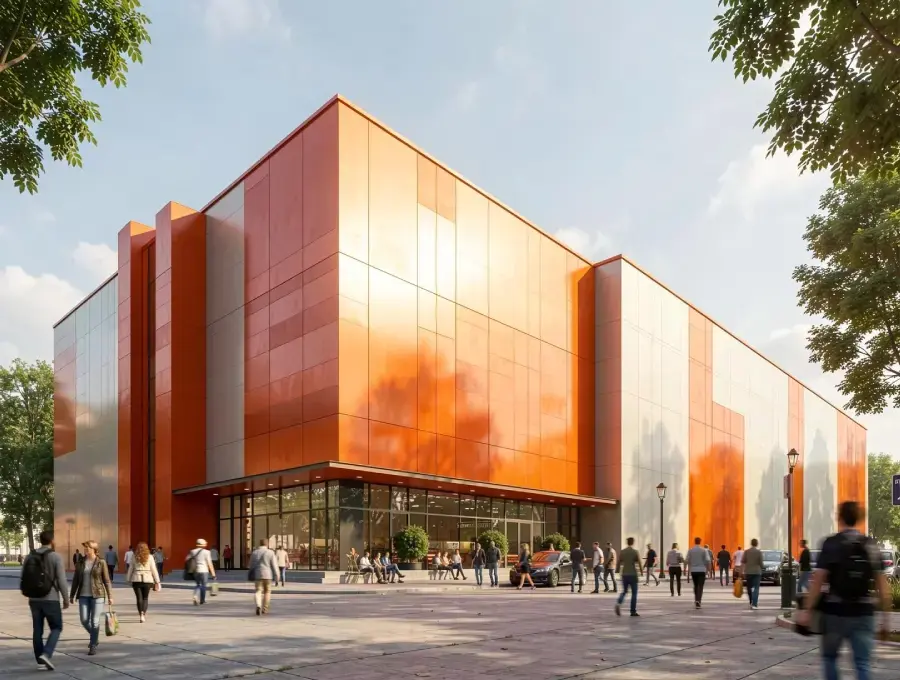
ArchiVinci delivers highly realistic architectural visuals directly from sketches, photos, or screenshots using AI-driven rendering. It achieves presentation-ready realism without complex scene setup, while 3ds Max reaches photorealism only after extensive modeling, materials, lighting, and render configuration.


No Learning Curve
ArchiVinci can be used immediately by architects and designers without prior rendering knowledge. In contrast, 3ds Max requires significant training, technical expertise, and long onboarding time to become productive.
No Hardware or GPU Requirements
ArchiVinci runs entirely in the browser and does not require a GPU or high-end workstation. 3ds Max is Windows-only and depends heavily on powerful local hardware to handle modeling and rendering efficiently.

Faster Design Iteration
Design variations in ArchiVinci are generated within seconds, allowing rapid exploration of concepts and alternatives. Iteration in 3ds Max involves manual edits, scene adjustments, and repeated render cycles, making the process slower.
Light Speed Render Generation
ArchiVinci produces high-quality renders almost instantly through cloud-based AI processing. Traditional workflows in 3ds Max require longer render times depending on scene complexity and hardware performance.


Lower Setup and Maintenance Overhead
ArchiVinci requires no installation, plugins, or system maintenance, enabling teams to start working instantly. Using 3ds Max involves software installation, updates, license management, and ongoing system optimization.
Accessible for Entire Teams
ArchiVinci is accessible to architects, designers, project managers, and non-technical stakeholders alike. 3ds Max workflows are typically limited to specialized 3D artists with technical backgrounds.


Cost-Efficient Visualization
ArchiVinci reduces overall costs by eliminating the need for expensive hardware and specialized rendering labor. 3ds Max introduces higher expenses through software licenses, powerful workstations, and long training cycles.
Try ArchiVinci AI for free, a fast and simple alternative to Twinmotion for architectural renderings.
Our Impact in Architecture & Design
3M+
RENDERED IMAGES
Over 2 million high-quality architectural renders created with ArchiVinci AI.
24/7
CUSTOMER SUPPORT
Our dedicated support team is always available to assist you, no matter your time zone, ensuring you have the help on time.
750,000+
USERS
A growing global community of architects, interior designers, real estate agents, and design enthusiasts
85%
TIME SAVED IN RENDERING
By eliminating the need for complex 3D modeling and manual rendering.
165+
COUNTRIES
Serving clients worldwide, ArchiVinci has made an impact in over 165 countries, adapting to diverse design styles.
98%
CUSTOMER SATISFACTION
We take pride in delivering results our users love, based on global customer feedback.
Archivinci vs 3ds Max Comparison Table
Rendering Speed
Learning Curve
Hardware Requirement
Input Type
Installation
Best Use Case
Cost Structure
Workflow Complexity
Lighting Setup
Iteration for Clients
ArchiVinci AI
5 seconds
Very low
None (cloud-based)
Sketches, photos, screenshots
Browser-based
Concept, presentation, final production, animation
Flexible plans
Simple, AI-driven workflow
Automatic lighting selection optimized by AI
Real-time visual feedback
3ds Max
Hours to days
High
High-end CPU & GPU
Full 3D models
Desktop software (Windows only)
Final production
High annual licensing
Complex, manual scene setup
Requires external render engines like for lighting
Slow revision cycles
Ready to Revolutionize Your Workflow?
Start using ArchiVinci today to speed up your architecture and interior design workflow. Create high-quality visuals in minutes, not weeks, and keep up with the pace of modern design. Don’t fall behind while the rest of the world moves faster.
Distinct Approaches to Architectural Visualization
3ds Max is a professional 3D modeling and rendering tool built for detailed geometry, materials, lighting, and final production-quality visuals. It is most effective once a project requires technical accuracy and full control.
ArchiVinci takes an AI-driven approach. It generates presentation-ready visuals directly from sketches, photos, screenshots, or reference images. This allows architects to visualize ideas much earlier, without waiting for a complete 3D model.
Both tools support architectural visualization, but they are designed for different moments in the design process.
Where Visualization Begins in the Workflow?
With 3ds Max, visualization usually begins after modeling. A developed 3D model, material setup, lighting configuration, and local hardware performance all influence the final result.
ArchiVinci enables visualization before full modeling begins. Early sketches or simple screenshots are enough to produce high-quality visuals, with all rendering handled in the cloud.
In short, ArchiVinci speeds up early-stage visualization, while 3ds Max supports detailed, production-level rendering.
Flexibility vs Technical Control
3ds Max offers deep technical control, making it suitable for final visuals and complex scenes.
ArchiVinci focuses on speed and flexibility. Designers can explore styles, atmospheres, and design directions quickly without rebuilding models or adjusting render settings. This is especially useful when design intent is still evolving.
Why Teams Look Beyond Traditional 3D Rendering?
Traditional 3D rendering workflows often require complete models, time-intensive setup, powerful hardware, and specialized expertise. In early design stages, these requirements can slow down iteration and client communication.
AI-based platforms like ArchiVinci fill this gap by enabling fast visualization from minimal inputs, helping teams communicate ideas earlier and more efficiently.
Frequently Asked Questions
What is the main difference between ArchiVinci and 3ds Max?
The main difference lies in workflow and timing. ArchiVinci enables early-stage visualization directly from sketches, photos, or screenshots, while Autodesk 3ds Max requires a developed 3D model and is typically used for production-level rendering.
Do I need a complete 3D model to use ArchiVinci?
No. ArchiVinci works with image-based inputs such as sketches, reference images, photos, and 3D model screenshots. A fully modeled scene is not required to generate high-quality architectural visuals.
Does 3ds Max require full modeling before rendering?
Yes. 3ds Max is a traditional 3D modeling and rendering software. Visualization usually starts after geometry creation, material assignment, lighting setup, and camera configuration are completed.
Which tool is better for final production and detailed rendering?
3ds Max is more suitable for final production stages that require precise geometry, advanced materials, complex lighting, and full artistic control over the scene.
Does ArchiVinci replace 3ds Max?
No. ArchiVinci does not replace 3ds Max. Many teams use ArchiVinci for early visualization and presentations, then switch to 3ds Max for detailed modeling and final production rendering.
Is ArchiVinci a real-time rendering tool like 3ds Max?
No. ArchiVinci is an AI-based rendering platform that generates static, presentation-ready visuals. 3ds Max supports real-time previews in the viewport and production rendering through engines like Arnold.
Does 3ds Max depend on local hardware performance?
Yes. Rendering performance and workflow efficiency in 3ds Max depend on local CPU, GPU, and system resources.
Who typically uses ArchiVinci?
ArchiVinci is commonly used by architects, interior designers, students, and real estate professionals who need fast, high-quality visual output without complex setup.
Who typically uses 3ds Max?
3ds Max is typically used by professional 3D artists, visualization specialists, and studios working on detailed architectural, animation, or production-level projects.
Which tool is better for client presentations?
ArchiVinci is often preferred for early client presentations because it enables fast, clear visual communication before design decisions are finalized. 3ds Max is commonly used later for polished, final visuals.