ArchiVinci 4.0 - New Render Engine is Live!
🚀 BETTER, FASTER, MORE PRECISE 🚀 Try it now
AI Architecture Generator
Fast, realistic AI rendering software for architects and interior designers. Turn sketches, photos, floor plans and 3D models into photorealistic renders in seconds.
Get 3 free renders - No watermark!
Precise renders within seconds
No GPU needed - Works on any device
Zero learning curve - Unlimited renders

TRUSTED BY
800,000+ registered users trusted us so far...
Compatible with any CAD or 3D modeling software
in PNG / JPEG / WEBP formats

_2026_logo%201.avif)


Create Accurate AI Renders in 3 Steps
Learning traditional rendering takes time, but with AI rendering, you don’t have to waste time learning. In just 3 simple steps, you can experiment with perfect lighting, shadows, and materials.

1. Take a photo or screenshot of the design
Take a screenshot of your model, or just sketch your idea and snap a photo of it. If you're working on a restoration, take a photo of the building instead.
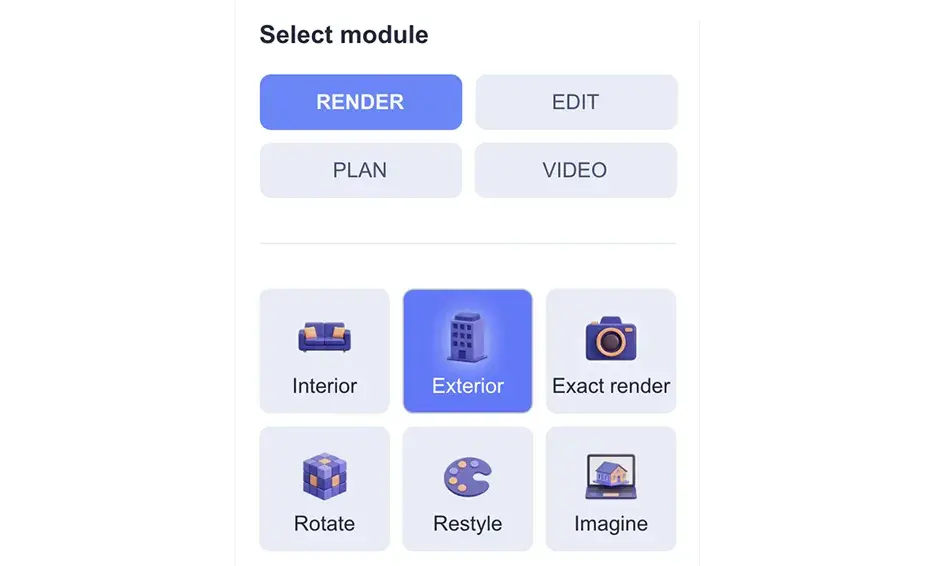
2. Select a module that fits your workflow
What kind of input do you have, interior, exterior, or a plan? Are the materials already set? Selecting the module that best fits your input is important.
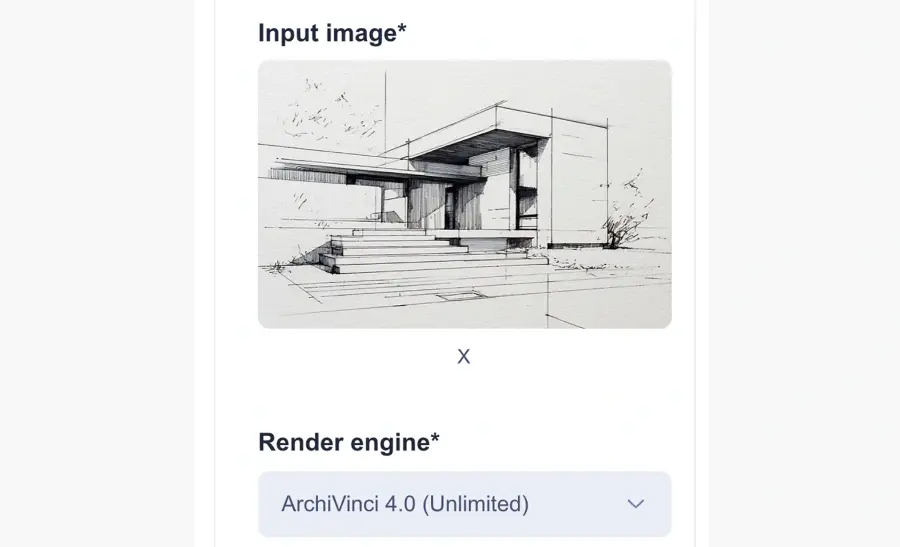
3. Upload image, set your render needs and generate
Upload your image to the system and choose the relevant settings. We'll take care of the background, we just need to understand what you're trying to create.
What Can You Create with Our AI Rendering Software
ArchiVinci’s AI-powered architecture generator and rendering tools help you visualize every stage of the design process, from intimate interiors to large-scale masterplans, with exceptional precision, quality, and speed.

AI Exterior Design
Generate high-quality exterior renders of buildings from sketches, photos, 3D models, and technical drawings with precise architectural detail.


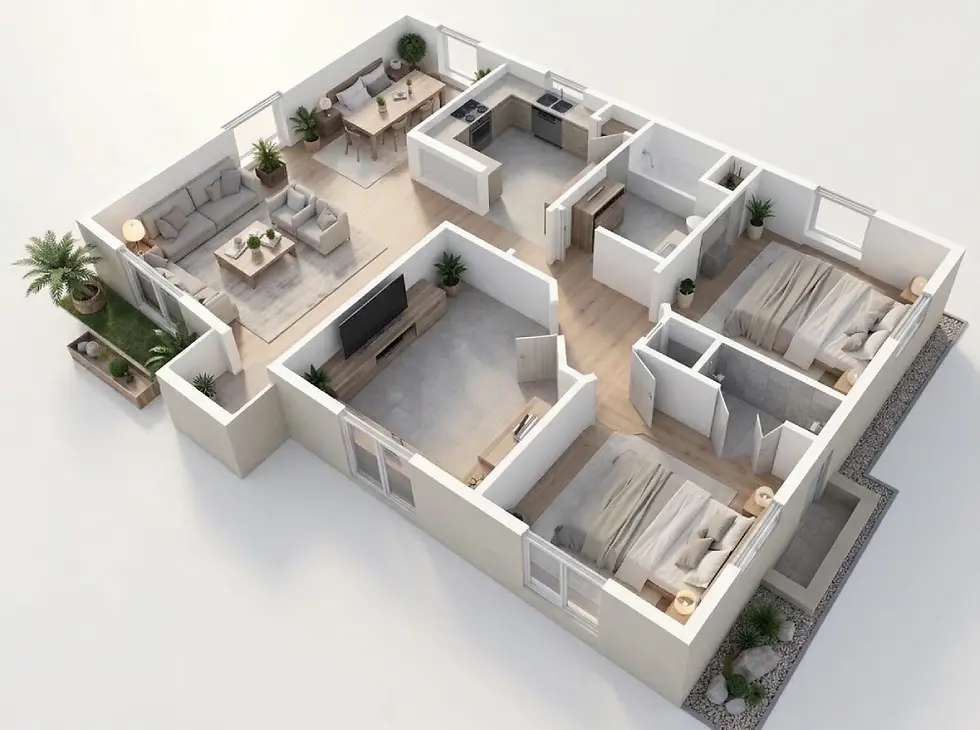
Floor Plan to 3D Render
Transform 2D floor plans, site plans, elevations, and sections into presentation-ready 3D renders, diagrams, and colored layouts.


Modify Render - Textures, Materials & Furniture
Update materials, furniture, and design styles with AI while preserving every detail of your original render.

AI Landscape Design
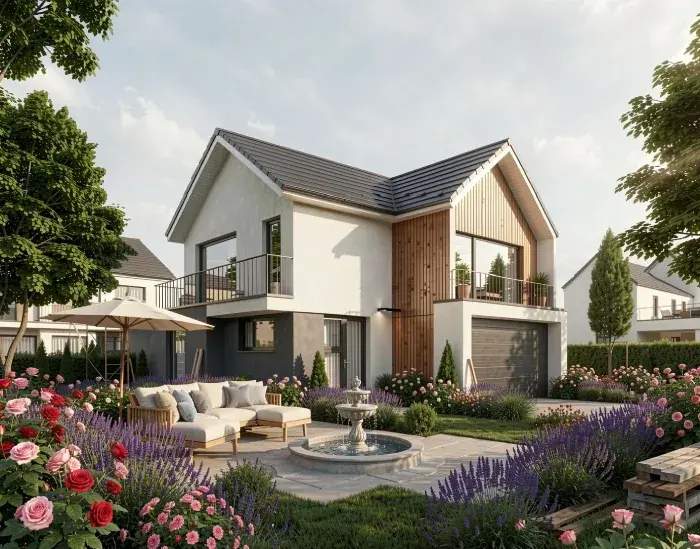
Enhance lighting, skies, façades, and surroundings, or generate complete landscape concepts around your architecture.

AI Interior Design
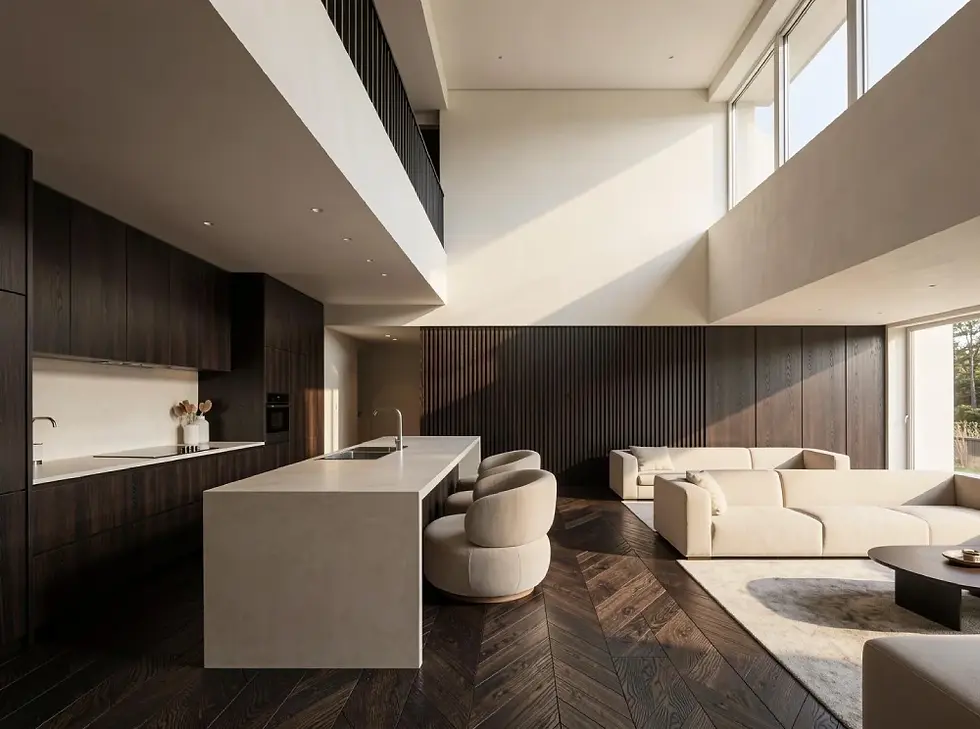
Create photorealistic interior renders with exceptional fidelity to the original model, materials, and surface details.
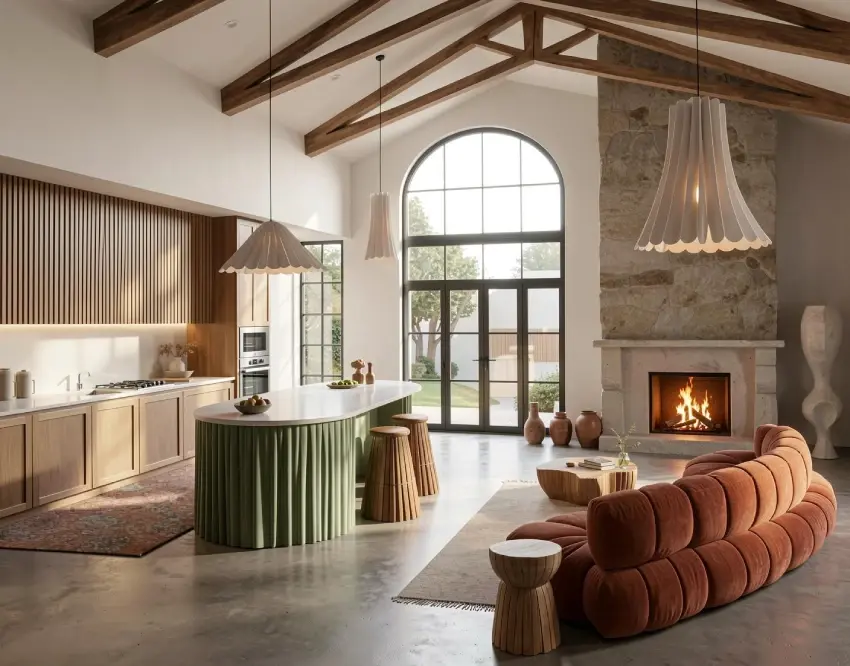
Rotate Render - Close-Up Details
Generate alternative viewpoints, new angles, close-up details, and fresh perspectives from the same design or render.

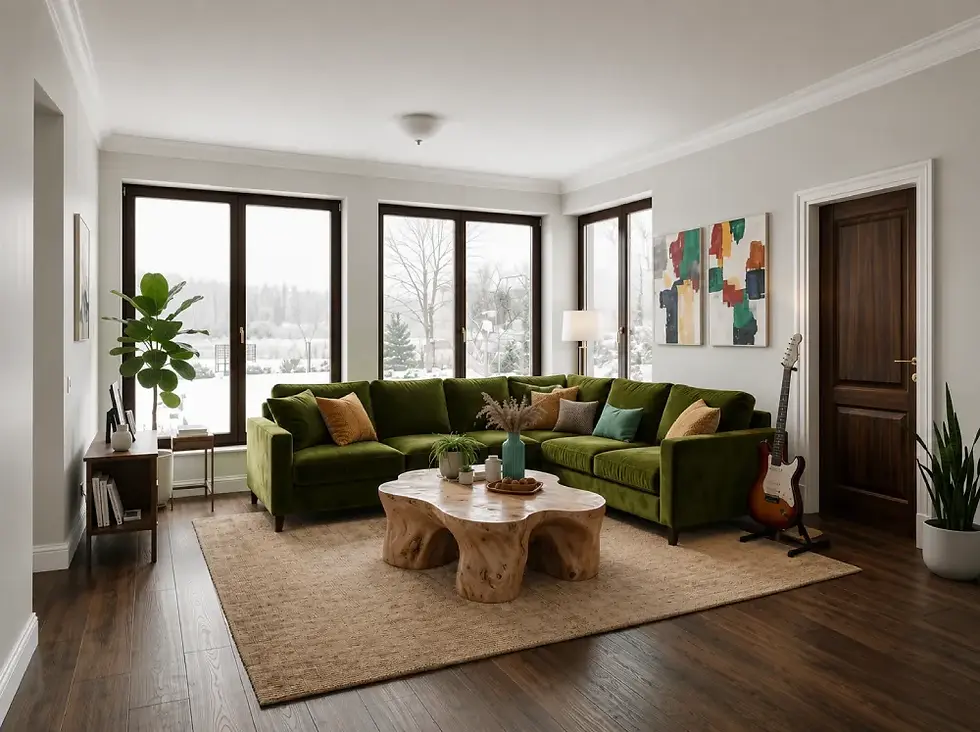
Furnish Empty Rooms with AI
Furnish and stage empty rooms instantly, place custom furniture, and move seamlessly from moodboards to finished room designs.


ArchiVinci’s Global Impact in Architecture & Design
AI rendering software, proven at scale across architecture and design teams around the world.
5M+
Client-Ready Renders
Millions of AI renders delivered already, where speed, precision, and realism come together.
800,000+
USERS
A growing global community of architects, interior designers, real estate agents, and design enthusiasts
165+
COUNTRIES
Used globally, because projects vary by region, but expectations don’t.
"It is quite challenging to get AI to follow specific instructions, but ArchiVinci made it easier.
Quite intuitive and easy to use, it makes rendering a lot more straightforward and best of all, within a considerably short wait time. This could allow all architects to provide stunning visuals to clients in half the time. Definetely something to keep an eye out as ArchiVinci will only get better and better!!"
Ines Gomes
Interior designer @Resi, United Kingdom
What Makes ArchiVinci Different
Choosing the right AI tool can be tough, but ArchiVinci covers everything you need for architecture and interior design.
All-in-one
One Platform for Every Workflow
From interiors and exteriors to floor plans, masterplans, edits, and animation, everything works in one place.
PRECISE
Industry-leading Render Precision
Preserves textures, materials, and surface detail with a level of precision that stands up to traditional render engines.
ZERO EFFORT
No Learning Curve, Start Instantly
Get started in moments. Choose a module, upload an image, and generate without complex setup.
UNLIMITED
Unlimited Creative Possibilities
Test more ideas, styles, and variations with unlimited ArchiVinci renders.
GEOMETRY-AWARE
Geometry Protection Built In
Near-100% geometry tracking with smart alerts when a prompt may distort the original structure.
CREATIVITY
Flexible Creative Control
Explore layouts, styles, materials, and lighting directions with control that stays true to your input.
ARCHIVINCI DESIGN TOOLS
Explore Our All-in-One AI Architecture & Rendering Tools
Render, edit, plan, and animate in one platform. Every module is built on years of professional visualization expertise, so each output is ready for real projects, not just experiments.
Render
Get realistic renders & design for exteriors, interior spaces, rotate your renders, or generate dream space ideas

Interior
HDRI
Exterior
Landscape
Exact render
Imagine
Edit
Edit your renders with modify room and modify archi, or furnish your empty room, and more editing options

Edit image
Cleanup
Furnish
Relight
Modify room
Place object
Rotate
Modify archi
Restyle
Plan
Create AI site plans, masterplans, and floor plans for clear layouts, outdoor planning, and early design concepts.

Masterplan
Floor plan
Furnish 2D
Video
Transform static renders into presentation ready videos that help clients experience your design more clearly.
Start Frame

End Frame

Final video

Compare AI Architecture Generator Options
Choose ArchiVinci to move from idea to client‑ready visuals in minutes. Get ultra‑fast, accurate renders and generate multiple design proposals at once, while an all‑in‑one toolkit covers interior and exterior planning, moodboards, virtual staging, and even masterplans. There’s no learning curve, open the tool and start designing, so you save time, cut costs, and win approvals faster without sacrificing quality.
Unlimited renders
No learning curve, start designing instantly
Works on any device (No GPU needed)
Get multiple design options instantly
All-in-One: Exact rendering, moodboard, virtual staging, 2D drawing, style match, and more...
ArchiVinci AI Architecture
Other
AI Render Tools
Traditional
software
REAL-LIFE USE CASES
Made for Architects, Interior Designers, Realtors & Everyone in Between
Explore real-world projects created with ArchiVinci AI by architects and designers.

.webp)
by a Munich architecture firm
From Sketch to Client Approval in One Day
How they transformed their storage room with ArchiVinci render modules for their client’s living space in Munich.

TESTIMONIALS
"ArchiVinci exceeded my expectations from the start. Worth every penny!
ArchiVinci exceeded my expectations from the start. The AI architecture generator was intuitive, fast, and delivered stunningly realistic results with minimal input. The range of design options made it easy to experiment, and the renders looked truly professional. I also loved how simple it was to refine details and export in different formats. The platform saved me hours of manual work while producing visuals that surpassed my usual workflow. I highly recommend ArchiVinci to anyone looking for powerful, efficient architectural visualization."
Gurkan Ozturk
Professor at Eskisehir Technical University, Türkiye
"I can state clearly that I'm getting value from the premium plan. ArchiVinci is it."
Olusegun Mayor-Olabiyitan
Mayor, Lagos Nigeria
"It's a great app, which I use most of the time. Glad to have this one."
Matthew Howartz
Architect, United Kingdom

Start getting your architectural renders for free with ArchiVinci today!
Your Data, Your Privacy
We value your architectural data. Archivinci uses encrypted cloud storage to ensure your AI renders stay secure and confidential.
We Value Your Data
YOUR PRIVACY FIRST
We protect your data with advanced encryption and never share it with third parties.
We Don’t Train on Your Data
NO AI TRAINING ON YOUR DATA
Anything you upload or create is never used to train or improve our AI rendering models
Your Creations, Your Rights
OWNERSHIP WITHOUT RESTRICTIONS
You have the rights to images you create. Use them for personal or commercial purposes.
Frequently asked questions
What is rendering in architecture?
Rendering in architecture is the process of turning a design idea into a visual image or animation. It helps architects and designers communicate scale, form, materials, lighting, spatial quality, and atmosphere before construction. Architectural rendering is often used in design development, client presentations, property marketing, planning submissions, presentation boards, and visual storytelling. A good render doesn't only show what a project looks like, but also helps explain how it may feel, perform, and sit within its context.
What is AI rendering?
AI rendering uses artificial intelligence to create or improve realistic visuals from sketches, drawings, photos, floor plans, elevations, facade drawings, site plans, and 3D model screenshots. In architectural design workflows, AI rendering helps teams move from rough input to presentation ready imagery faster than traditional manual rendering or post production workflows. It is especially useful during early design stages, when teams need to test materials, styles, lighting, and design alternatives without setting up a full render scene.
What does architecture AI mean?
Architecture AI refers to artificial intelligence tools that support architectural design, visualization, editing, rendering, planning, and concept development. In practice, architecture AI helps architects and designers generate visuals, test design alternatives, refine ideas, and accelerate repetitive parts of the design workflow. These tools are most useful when they support real deliverables, such as sketches, floor plans, elevations, facade studies, client presentations, and design review visuals.
What are architecture AI tools?
Architecture AI tools are software applications that use artificial intelligence to automate, optimize, and accelerate various stages of the architectural design and creative process.
These tools assist architects, urban planners, and designers with tasks ranging from administrative work to highly complex 3D modeling, spatial analysis, and photorealistic rendering.
What is architect AI?
Architect AI is a software that uses machine learning and deep learning algorithms to automate and optimize architectural design, analysis, and visualization workflows.
Unlike traditional CAD programs, it acts as an active assistant by processing complex data inputs to generate its own design solutions. Its role is to make architecture AI useful inside real studio workflows by reducing repetitive visualization work and helping teams compare design options faster.
What is ArchiVinci?
ArchiVinci is an AI-powered architectural visualization platform that transforms sketches, floor plans, elevations, facades, CAD drawings, and 3D models into high-quality renders. It helps architects, interior designers, real estate professionals, and design studios accelerate concept development, explore design variations, create client presentations, and produce photorealistic visualizations with minimal rendering effort.
Who is ArchiVinci for?
ArchiVinci is built for architects, interior designers, architecture studios, design studios, urban planners, landscape designers, real estate professionals, construction teams, students, and homeowners who need faster architectural visualization.
Architects use it for design reviews and client presentations, interior designers use it for room visualization and material options, developers use it for marketing visuals, and students use it for studio boards and portfolio work.
Can homeowners and students use ArchiVinci?
Yes. Homeowners can use ArchiVinci to explore renovation ideas, redesign rooms, furnish empty spaces, test facade options, visualize materials, and compare before and after visuals from a single photo.
Students can use it to turn sketches, studio concepts, massing models, floor plans, site plans, elevations, and early project images into stronger visuals for reviews, architectural boards, and portfolios. In both cases, ArchiVinci helps communicate design ideas more clearly, but it doesn't replace professional advice, critique, or technical development.
How does ArchiVinci support real estate and property marketing?
ArchiVinci supports real estate professionals with property visualization, virtual staging, renovation previews, off plan visualization, pre construction marketing, investor presentations, and sales visuals.
It helps property and sales teams show the potential of a space before photography, construction, or full CGI production is available. For high value campaigns, teams may still refine selected outputs with a designer or visualization specialist, but AI rendering can reduce the time and cost needed to create the first set of marketing visuals.
Does AI rendering replace architects?
No, AI rendering doesn't replace architects; it replaces repetitive visualization tasks. Architects remain responsible for design decisions, technical documentation, code compliance, and client collaboration, while AI helps accelerate concept development, design iterations, presentations, and architectural visualization.
AI render tools serve as visualization and communication aids, helping teams produce high-quality visuals faster without replacing professional judgment, technical expertise, or project responsibility.
How does ArchiVinci AI rendering work?
ArchiVinci starts with your input image. You can upload a sketch, a photo, a 3D model screenshot, an interior, an exterior, or a plan. Then you choose the module that matches your workflow, set your render needs, and generate. ArchiVinci analyzes the image and turns it into a realistic architectural render based on your selected settings.
Is ArchiVinci an AI render tool or an AI architecture generator?
It works as both. Use ArchiVinci as an AI render tool to turn an existing design into a photorealistic visual, or as an AI architecture generator to explore new design options, materials, lighting conditions, and concept directions. For precise architecture AI workflows, source-based render modes keep your input geometry and design logic close to the original. For early concept exploration, creative modes like Dream Space AI generate broader visual directions.
Why choose ArchiVinci over other AI rendering tools?
ArchiVinci is built specifically for architecture and design visualization. Instead of producing generic AI images, it focuses on architectural context: geometry preservation, realistic materials, and spatial logic, with dedicated workflows for interior, exterior, floor plan, masterplan, and facade rendering. It gives studios architecture AI with both precision and flexibility: accurate, source-faithful renders when the input must be respected, and broader design exploration when the concept is still open.
Is ArchiVinci the best AI rendering software for architecture?
The best AI rendering software depends on your workflow. ArchiVinci is a strong fit for image-based, browser-based rendering: fast AI renders with no GPU setup, no render farm, and no learning curve, while still preserving geometry, materials, and design intent. It works best for rapid visualization, client presentations, and concept iteration. For full BIM documentation, construction drawings, or detailed 3D modeling control, traditional CAD and 3D software remain essential.
What are the main benefits of using ArchiVinci?
ArchiVinci's greatest advantage is its ability to deliver photorealistic architectural visuals in seconds while preserving design accuracy. Unlike general purpose AI image generators, ArchiVinci is specifically designed for architecture, ensuring that geometry, proportions, materials, and key design elements remain faithful to the original concept. It supports the entire visualization workflow, from interiors and exteriors to floor plans, masterplans, and facade studies.
By generating multiple design alternatives from a single input, ArchiVinci enables architects and designers to explore materials, lighting conditions, and stylistic directions in real time.
How is ArchiVinci different from V-Ray, Enscape, Lumion, or Twinmotion?
ArchiVinci differs from tools like V-Ray, Enscape, Lumion, or Twinmotion in its workflow and purpose. Traditional rendering software requires a prepared 3D model along with detailed setup for materials, lighting, cameras, and hardware resources. ArchiVinci, on the other hand, works directly from images in the browser, making it significantly faster for concept design, design iteration, visual studies, refinement, and presentation drafts.
While it doesn't replace full rendering engines for highly technical or production level workflows, it reduces the time needed to produce compelling architectural visuals, especially when the goal is to quickly test ideas or create client facing images.
How is ArchiVinci different from Midjourney or DALL·E?
General-purpose AI image generators such as Midjourney or DALL·E are useful for inspiration, but they can alter proportions, ignore spatial logic, or introduce details that were not part of the original design. ArchiVinci is designed specifically for architectural workflows and starts from your actual design input.
It focuses on preserving structure, layout, massing, openings, materials, and overall design intent, making it more suitable for architects and interior designers who need usable project visuals rather than purely inspirational images.
At which design stages does ArchiVinci deliver the most value as a design assistant?
ArchiVinci delivers value across the full architectural design workflow, from early sketches and concept exploration to realistic renders and final presentation visuals. It supports architecture, interior design, landscape, real estate, and planning use cases in one platform, helping teams move from initial ideas to client ready visuals faster.
Will AI renders actually be usable in client presentations?
Yes. ArchiVinci renders are designed for client-ready presentations with realistic lighting, clear material expression, and geometry that stays close to the original design. They help communicate concept direction, atmosphere, and spatial quality before a full traditional render process is needed.
Studios use ArchiVinci visuals in concept reviews, feasibility studies, schematic presentations, architectural boards, and early client meetings. By showing clear visual options earlier in the process, teams can speed up client buy-in and make design decisions easier. For final marketing images, studios often create a strong AI base render first and manually refine selected hero visuals when extra polish is needed.
Do I need a 3D model to use ArchiVinci?
No. ArchiVinci can work with the images you already use in your workflow, such as Revit screenshots, SketchUp massing studies, Rhino elevations, CAD exports, hand-drawn sketches, floor plans, site plans, or facade drawings. Since it operates as an image-to-render AI tool, you don't need to rebuild 3D models, prepare materials, or set up complex rendering scenes.
Does ArchiVinci work with SketchUp, Revit, Rhino, Blender, and 3ds Max?
Yes. You can export an image or take a screenshot from SketchUp, Revit, Rhino, Blender, 3ds Max, AutoCAD, Archicad, or similar 3D modeling software and upload it to ArchiVinci. You don't need a plugin, raw model file, local AI renderer, or dedicated rendering software setup. Many users start with a simple viewport screenshot or elevation export and use ArchiVinci to create a more realistic architectural render from that image.
Can I turn a sketch into an architecture render without a 3D model?
Yes. A hand sketch, concept sketch, rough drawing, or early design image can be enough to generate an architectural visual direction. ArchiVinci helps turn sketches into AI renders before the project is fully modeled, making it useful for early concept exploration and client communication.
The result should be treated as a design visualization, not a technical drawing. It can help communicate form, mood, material direction, and atmosphere early in the process.
What inputs and file types work best with ArchiVinci?
ArchiVinci works best with clean image based inputs such as PNG, JPEG, or WEBP files. You can upload photos, sketches, floor plans, site plans, roof plans, elevations, section drawings, masterplans, facade drawings, screenshots, and design references.
For better results, use images with clear perspective, readable edges, and visible material or surface information. Blurry, low resolution, or heavily obstructed images may be harder for the AI to interpret accurately.
How precise can I be with materials, lighting, and context?
You can guide materials, textures, mood, lighting, time of day, weather, surrounding context, and scene elements through plain language prompts and module settings. ArchiVinci can help adjust details such as facade cladding, glazing, interior furniture, vegetation, and lighting conditions like daylight, dusk, night, or golden hour.
For more accurate results, use clear prompts and clean source images with readable surfaces, edges, and material information.
Will ArchiVinci invent geometry I did not draw?
ArchiVinci's source based render modes are designed to stay close to your input image, drawing, or model screenshot. They aim to keep the main massing, proportions, camera angle, openings, and facade structure aligned with the original design.
More creative workflows, such as Dream Space AI, are better suited for concept exploration, design options, and form studies. They are useful when you want new ideas, not geometry accurate documentation.
Does ArchiVinci preserve design lines when rendering from screenshots?
Yes. ArchiVinci is designed to follow the main lines, perspective, proportions, and architectural language of the uploaded screenshot. Clear screenshots with visible structure, readable edges, and good resolution usually produce more controlled results.
For workflows based on model views or design screenshots, source focused modes help keep the visual output closer to the original composition and design intent.
Does ArchiVinci preserve geometry, textures, and materials?
ArchiVinci is designed to preserve the main geometry, layout, material logic, textures, and visible design details of the input. For stronger source consistency, the Precise Visualizer module is the better choice when rendering fidelity, material accuracy, facade rhythm, and massing need to stay close to the original design.
This is especially useful for workflows based on SketchUp screenshots, Revit views, Rhino studies, facade drawings, elevations, or model screenshots where the design should not drift.
Will AI change my original design?
It depends on the selected render mode and prompt. Source focused workflows are designed to keep the original design close to the input, while more creative AI design workflows are better for exploration and alternative concepts.
If accuracy matters, use a clear source image and avoid prompts that ask for major structural changes. Prompts about materials, lighting, mood, or atmosphere are less likely to change the building form than prompts asking for a completely new architectural style.
How accurate is ArchiVinci with material and texture details?
ArchiVinci can produce strong material and texture results, especially when the source image is clear and the prompt is specific. It works well for testing material directions such as wood, concrete, stone, glass, metal, plaster, brick, tile, or facade cladding across different design scenarios.
For more accurate results, describe materials in clear architectural terms and keep the requested finish appropriate to the image, scale, and building type.
Are ArchiVinci AI renders photorealistic?
Yes. ArchiVinci can generate photorealistic architectural renders with realistic lighting, materials, textures, reflections, vegetation, people, and environmental context. The final level of realism depends on the source image, prompt, selected render mode, and output settings.
For stronger results, use clean inputs, clear material direction, and realistic lighting choices. It also helps to avoid prompts that ask the AI to change too many design elements at once.
Can ArchiVinci generate high resolution renders for portfolios, print, and presentation boards?
Yes. You can generate a draft render and upscale selected outputs for higher resolution use in portfolios, presentation boards, investor decks, sales materials, marketing assets, and print oriented visuals. This helps move an AI render from early exploration to presentation quality.
Upscaling can improve visible detail in elements such as glass, masonry, foliage, furniture, people, and facade surfaces. For professional workflows, many teams create a strong base render first, then enhance or retouch selected images depending on the level of realism and final output quality they need.
Can ArchiVinci generate multiple design variations?
Yes. ArchiVinci can generate up to 4 design variations at the same time from one input image. This helps you compare different materials, lighting conditions, styles, facade options, interior directions, and design alternatives more quickly.
It is useful for design iteration, client reviews, and internal decision making. Instead of creating one fixed render, you can test several visual directions at once and choose the strongest option for further development or presentation.
How fast is ArchiVinci AI rendering?
Most ArchiVinci renders are generated in seconds, often around 5 seconds depending on the selected module, input quality, and render settings. This makes it useful for rapid visualization, design iteration, client feedback, internal reviews, early presentation work, and AI rendering architecture studies.
The main value is faster decision making. Teams can quickly compare materials, facade options, lighting moods, styles, and design alternatives without waiting for a traditional render setup.
Does speed affect render quality?
No. ArchiVinci's speed comes from reducing manual setup, not from lowering render quality. Final output quality depends on the input image, selected render mode, prompt clarity, material direction, and enhancement settings.
Clean inputs such as model screenshots, elevations, floor plans, or facade drawings usually give the AI more structure to follow. For client ready results, teams can generate quickly, choose the strongest option, and then upscale or refine the image before presentation.
Is ArchiVinci an online AI render tool?
Yes. ArchiVinci is an online AI render tool and web app that runs in the browser, with rendering processed in the cloud. You don't need a powerful workstation, GPU, installation, or render farm.
This makes it practical for architecture studios, interior designers, and development teams that want to test renders quickly from existing project images without moving into a full rendering software workflow.
What devices can run ArchiVinci?
ArchiVinci works on desktops, laptops, tablets, and mobile devices through a browser. It supports common operating systems such as Windows, macOS, iOS, iPadOS, and Android.
Because ArchiVinci is a cloud based AI rendering app and web app, you don't need a dedicated GPU, local installation, or rendering hardware. This makes it easier for teams, students, and studios to generate AI renders from different devices.
What can I create with ArchiVinci?
With ArchiVinci, you can create interior and exterior renders, facade concepts, floor plan and site plan visuals, masterplan images, landscape renders, virtual staging visuals, moodboards, HDRI panoramas, architectural animations, or videos.
It supports the full architecture AI workflow, from early sketch exploration to client presentations, for architecture, interiors, real estate, landscape, and urban design projects.
Can ArchiVinci create interior AI renders?
Yes. ArchiVinci can create interior AI renders for interior designers working on living rooms, bedrooms, kitchens, bathrooms, offices, restaurants, hotels, retail spaces, and other residential or commercial interiors.
You can test furniture layouts, material palettes, lighting, colors, atmosphere, and interior design styles from the same input image. This makes it useful for comparing design options before preparing final moodboards, client presentations, or detailed specifications.
Can ArchiVinci create exterior AI renders and support facade design?
Yes. ArchiVinci supports an architecture AI workflow for creating exterior AI renders for houses, villas, apartment buildings, commercial buildings, streetscapes, facade studies, and building envelope concepts. It can also support facade design by helping you explore cladding, glazing, louvers, balconies, terraces, canopies, ornaments, lighting, landscape context, and architectural style on the same building image.
For more targeted exterior edits, the Modify Architecture module makes the process more flexible. With the prompt field, you can describe small facade changes and apply them directly to your render. When the input is clear, ArchiVinci can keep openings, proportions, facade rhythm, and massing close to the original design while testing different exterior directions.
Can ArchiVinci render landscapes, gardens, and outdoor areas?
Yes. ArchiVinci can generate gardens, terraces, outdoor living areas, planting concepts, pathways, public spaces, and landscape context around a building or site. This helps connect the architectural render with its surrounding environment.
It is useful for residential projects, hospitality design, property marketing, urban visualization, and landscape studies where vegetation, outdoor furniture, streetscape elements, and human scale need to be shown clearly.
Can ArchiVinci generate masterplan visuals?
Yes. ArchiVinci can turn site plans, zoning sketches, planning layouts, and technical drawings into colored masterplan visuals. This is useful for planning reviews, urban visualization, landscape studies, development marketing, award submissions, and client presentations.
Instead of rebuilding a site model from the beginning, teams can use existing drawings to communicate circulation, open space, landscape structure, development zones, and overall planning intent more clearly.
Can ArchiVinci turn floor plans into 3D renders?
Yes. ArchiVinci can turn 2D floor plans, site plans, roof plans, reflected ceiling plans, elevations, sections, and hand drawn layouts into furnished 3D style visuals, colored layouts, or presentation diagrams.
This is useful for floor plan rendering, plan render AI, drawing to render, and plan to render workflows. It helps clients and non technical stakeholders understand room relationships, furniture layout, circulation, and spatial organization more easily.
Can ArchiVinci generate elevation renders?
Yes. ArchiVinci can render building elevations, facade drawings, and elevation plans with realistic materials, lighting, openings, facade details, and contextual elements.
This helps teams present elevation rendering results without building a full 3D model. It is useful for facade studies, material comparisons, client reviews, and early planning submissions where the building envelope needs to be explained visually.
Can ArchiVinci turn renders into videos?
Yes. ArchiVinci can turn static renders into short architectural videos and animations. This is useful for walkthrough style presentations, social media content, client storytelling, property marketing, project previews, and architectural visualization workflows that need movement and atmosphere.
The video output is not a replacement for a fully animated 3D scene, but it can make still renders more engaging for presentations, listings, and design communication.
Can I use ArchiVinci for AI 3D rendering?
Yes, but ArchiVinci creates 2D image outputs that visually communicate depth, perspective, lighting, scale, materials, and spatial experience. It supports AI 3D rendering style workflows, but the final output is not an editable 3D model.
This distinction is important. ArchiVinci is useful for creating realistic architectural visuals from existing design inputs, but it doesn't replace BIM models, parametric models, or detailed 3D geometry used for documentation.
Can I edit AI renders after generation?
Yes. You can refine AI renders with tools such as Inpainting, Modify Room, Modify Architecture, Relight, Rotate, Cleanup, and Furnish Room.
This lets you adjust materials, update furniture, change facade elements, improve lighting, refine landscape details, or correct specific parts of an image without starting from the beginning. It is useful when most of the render works, but one area needs improvement.
What is ArchiGPT?
ArchiGPT is ArchiVinci's modular architecture AI toolkit for architects and designers who need more flexibility across design and visualization workflows.
It works alongside the main AI rendering tools and supports AI assisted tasks for concept generation, prompt development, design communication, and workflow acceleration. It is useful when a project needs more than a single render, such as exploring ideas, refining visuals, or supporting different design stages.
Can ArchiVinci create before and after renovation visuals?
Yes. You can upload an existing room, facade, garden, or property image and generate a new design direction. This makes it easier to compare the current condition with a proposed result before detailed planning, budgeting, or construction discussions.
Architects, interior designers, homeowners, and project stakeholders can use this workflow to explain renovation potential, material changes, furniture updates, facade improvements, or landscape upgrades in a more visual way.
What industries benefit from AI rendering software?
Architecture studios, interior design practices, landscape designers, urban planners, property marketers, developers, construction teams, hospitality designers, commercial interior teams, and architecture schools can benefit from AI rendering software.
How does architecture AI improve productivity for design businesses?
Architecture AI helps teams produce visuals faster, test more ideas, respond to feedback quickly, and communicate design intent more clearly. It reduces time spent on repetitive visualization tasks and supports faster decision making across concept development, schematic design, design iteration, client presentation, property marketing, and award submission work.
Instead of modeling and rendering every option manually, teams can explore more directions earlier and reserve detailed production time for the strongest choices.
What can ArchiVinci not replace?
ArchiVinci doesn't replace architects, construction drawings, structural calculations, building code checks, BIM documentation, technical coordination, or professional design responsibility.
It is a visualization tool. Technical decisions should still be reviewed by qualified professionals. ArchiVinci can help communicate ideas, test visual options, and create realistic renders faster, but it should not be treated as a substitute for design expertise, engineering review, permitting documents, or construction level coordination.
Is there a free AI architecture render generator?
Yes. ArchiVinci offers 3 free renders so users can test AI rendering before choosing a paid plan. Free access is useful for trying the workflow on a real image, sketch, floor plan, elevation, facade drawing, or project photo.
It allows architects, interior designers, students, and real estate professionals to evaluate whether the platform fits their visualization workflow before using it for larger or ongoing projects.
Can I use the 3 free trial renders commercially?
Yes. The 3 free renders generated during the ArchiVinci trial are delivered as watermark-free outputs and can be used across professional design and visualization workflows. The same applies to all paid plans. You own the renders you generate, with full commercial usage rights for client work, real estate marketing, and professional projects.
What pricing plans are available, and does ArchiVinci support teams?
ArchiVinci offers a monthly subscription at $79 and a yearly subscription at $549 ($46 per month, billed annually). One-time payment options with no recurring charges and Team Plans for studios and agencies are also available, giving each team member individual access under one purchase. All premium plans include unlimited renders with the ArchiVinci engine, plus coins for additional AI models and video generation. Full plan comparison is available on ourPricing page.
Does ArchiVinci provide tutorials or support?
Yes. ArchiVinci provides learning resources to help users get better results from AI rendering. Users can explore how-to videos, AI render examples, and support blogs to understand how to write better prompts, how to create more realistic AI renders, and how to refine their results with practical workflow tips.
Is my data secure in ArchiVinci?
Yes. Uploaded files, project images, and generated outputs are processed through encrypted cloud-based systems. Your data is never shared with third parties and is never used to train ArchiVinci's AI models. You retain full control over your uploads and outputs through your account. For data processing details, you can review thePrivacy Policy.


